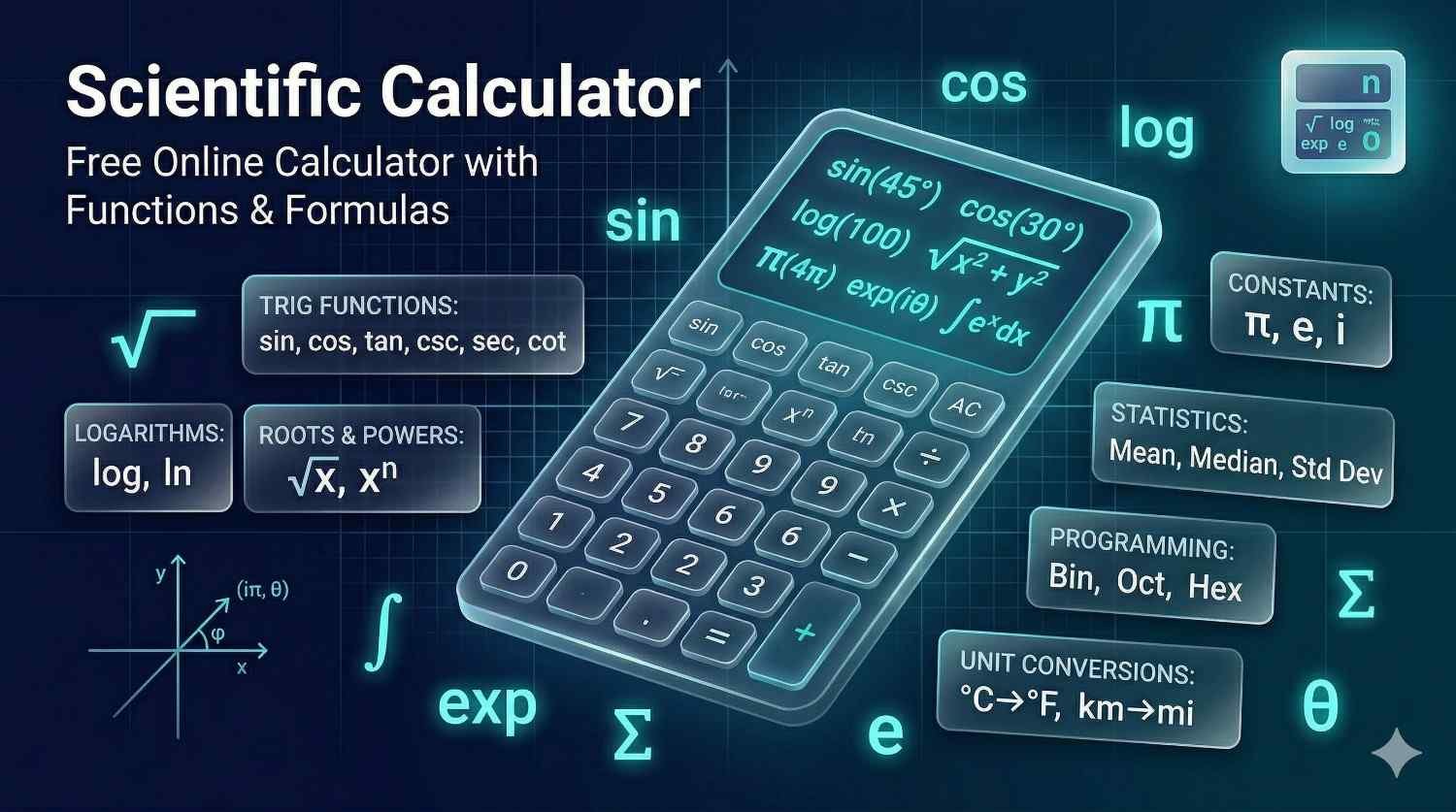
Scientific Calculator: Free Online Calculator with Functions & Formulas
A scientific calculator is an advanced computational tool for trigonometric functions, logarithms, exponentials, roots, powers, constants, scientific notation, and multi-step expressions. Unlike a basic four-function calculator, this free online scientific calculator is designed for algebra, geometry, trigonometry, physics, chemistry, engineering, statistics, finance, and classroom problem solving where the order of operations and formula setup matter.
Use the calculator below for quick computation, then use the guide to understand what each function means, when to use degree or radian mode, how logarithms and powers behave, how scientific notation is entered, and how to avoid common mistakes with brackets, signs, rounding, and domain restrictions.
Understanding Scientific Calculators
Scientific calculators extend basic arithmetic capabilities with advanced mathematical functions essential for higher-level mathematics, science, and engineering. These tools handle complex calculations that would be time-consuming or error-prone when performed manually.
Basic Mathematical Operations
Arithmetic Operations
Addition: \( a + b \)
Subtraction: \( a - b \)
Multiplication: \( a \times b \)
Division: \( a \div b = \frac{a}{b} \)
Order of Operations (PEMDAS/BODMAS)
Order of Operations:
- Parentheses / Brackets
- Exponents / Orders (powers, roots)
- Multiplication and Division (left to right)
- Addition and Subtraction (left to right)
Trigonometric Functions
Basic Trigonometric Ratios
Sine: \( \sin(\theta) = \frac{\text{opposite}}{\text{hypotenuse}} \)
Cosine: \( \cos(\theta) = \frac{\text{adjacent}}{\text{hypotenuse}} \)
Tangent: \( \tan(\theta) = \frac{\text{opposite}}{\text{adjacent}} = \frac{\sin(\theta)}{\cos(\theta)} \)
Trigonometric Identities
| Identity | Formula |
|---|---|
| Pythagorean Identity | \( \sin^2(\theta) + \cos^2(\theta) = 1 \) |
| Tangent Identity | \( 1 + \tan^2(\theta) = \sec^2(\theta) \) |
| Double Angle (Sine) | \( \sin(2\theta) = 2\sin(\theta)\cos(\theta) \) |
| Double Angle (Cosine) | \( \cos(2\theta) = \cos^2(\theta) - \sin^2(\theta) \) |
Common Angle Values
| Angle (Degrees) | Angle (Radians) | sin | cos | tan |
|---|---|---|---|---|
| 0° | 0 | 0 | 1 | 0 |
| 30° | \( \frac{\pi}{6} \) | \( \frac{1}{2} \) | \( \frac{\sqrt{3}}{2} \) | \( \frac{1}{\sqrt{3}} \) |
| 45° | \( \frac{\pi}{4} \) | \( \frac{\sqrt{2}}{2} \) | \( \frac{\sqrt{2}}{2} \) | 1 |
| 60° | \( \frac{\pi}{3} \) | \( \frac{\sqrt{3}}{2} \) | \( \frac{1}{2} \) | \( \sqrt{3} \) |
| 90° | \( \frac{\pi}{2} \) | 1 | 0 | undefined |
Logarithmic and Exponential Functions
Logarithm Definitions
Common Logarithm (base 10): \( \log(x) = \log_{10}(x) \)
Natural Logarithm (base e): \( \ln(x) = \log_e(x) \)
Logarithm Definition: \( y = \log_b(x) \iff b^y = x \)
Logarithm Properties
| Property | Formula |
|---|---|
| Product Rule | \( \log(xy) = \log(x) + \log(y) \) |
| Quotient Rule | \( \log\left(\frac{x}{y}\right) = \log(x) - \log(y) \) |
| Power Rule | \( \log(x^n) = n\log(x) \) |
| Change of Base | \( \log_b(x) = \frac{\log(x)}{\log(b)} \) |
| Inverse Property | \( b^{\log_b(x)} = x \) |
Exponential Functions
Exponential Growth: \( f(x) = a \cdot b^x \)
Natural Exponential: \( e^x \) where \( e \approx 2.71828 \)
Euler's Identity: \( e^{i\pi} + 1 = 0 \)
Powers and Roots
Power Operations
Square: \( x^2 = x \times x \)
Cube: \( x^3 = x \times x \times x \)
General Power: \( x^n \)
Negative Exponent: \( x^{-n} = \frac{1}{x^n} \)
Fractional Exponent: \( x^{1/n} = \sqrt[n]{x} \)
Root Operations
Square Root: \( \sqrt{x} = x^{1/2} \)
Cube Root: \( \sqrt[3]{x} = x^{1/3} \)
nth Root: \( \sqrt[n]{x} = x^{1/n} \)
Exponent Rules
| Rule | Formula |
|---|---|
| Product of Powers | \( x^a \cdot x^b = x^{a+b} \) |
| Quotient of Powers | \( \frac{x^a}{x^b} = x^{a-b} \) |
| Power of a Power | \( (x^a)^b = x^{ab} \) |
| Power of a Product | \( (xy)^a = x^a y^a \) |
| Zero Exponent | \( x^0 = 1 \) (for \( x \neq 0 \)) |
Scientific Notation
Scientific Notation Format
Standard Form: \( a \times 10^n \)
where \( 1 \leq |a| < 10 \) and \( n \) is an integer
Examples:
3,000,000 = \( 3 \times 10^6 \)
0.00045 = \( 4.5 \times 10^{-4} \)
Scientific Notation Conversion
| Standard Number | Scientific Notation | Description |
|---|---|---|
| 1,000,000 | \( 1 \times 10^6 \) | One million |
| 500,000 | \( 5 \times 10^5 \) | Five hundred thousand |
| 6,750 | \( 6.75 \times 10^3 \) | Six thousand seven hundred fifty |
| 0.001 | \( 1 \times 10^{-3} \) | One thousandth |
| 0.000025 | \( 2.5 \times 10^{-5} \) | Twenty-five hundred-thousandths |
Important Mathematical Constants
| Constant | Symbol | Value | Description |
|---|---|---|---|
| Pi | \( \pi \) | 3.14159265... | Ratio of circumference to diameter |
| Euler's Number | \( e \) | 2.71828182... | Base of natural logarithm |
| Golden Ratio | \( \phi \) | 1.61803398... | \( \frac{1+\sqrt{5}}{2} \) |
| Square Root of 2 | \( \sqrt{2} \) | 1.41421356... | Diagonal of unit square |
Angle Measurement Conversion
Degrees and Radians
Degrees to Radians: \( \text{radians} = \text{degrees} \times \frac{\pi}{180} \)
Radians to Degrees: \( \text{degrees} = \text{radians} \times \frac{180}{\pi} \)
Full Circle:
\( 360^\circ = 2\pi \text{ radians} \)
Common Angle Conversions
| Degrees | Radians (Exact) | Radians (Decimal) |
|---|---|---|
| 0° | 0 | 0 |
| 30° | \( \frac{\pi}{6} \) | 0.524 |
| 45° | \( \frac{\pi}{4} \) | 0.785 |
| 60° | \( \frac{\pi}{3} \) | 1.047 |
| 90° | \( \frac{\pi}{2} \) | 1.571 |
| 180° | \( \pi \) | 3.142 |
| 270° | \( \frac{3\pi}{2} \) | 4.712 |
| 360° | \( 2\pi \) | 6.283 |
Calculator Operation Examples
Example 1: Trigonometric Calculation
Problem: Calculate \( \sin(30^\circ) \)
Solution:
1. Ensure calculator is in degree mode
2. Enter: sin(30)
3. Result: 0.5 or \( \frac{1}{2} \)
Example 2: Logarithm Calculation
Problem: Calculate \( \log(1000) \)
Solution:
1. Enter: log(1000)
2. Result: 3 (because \( 10^3 = 1000 \))
Example 3: Complex Expression
Problem: Calculate \( \frac{5^2 + 3 \times 4}{2} \)
Solution:
1. Enter: (5^2 + 3*4)/2
2. Calculation: (25 + 12)/2 = 37/2
3. Result: 18.5
Common Calculator Functions
| Function | Button | Description | Example |
|---|---|---|---|
| Square Root | √ | Find square root of number | \( \sqrt{16} = 4 \) |
| Square | x² | Multiply number by itself | \( 5^2 = 25 \) |
| Reciprocal | 1/x | Calculate inverse | \( \frac{1}{4} = 0.25 \) |
| Absolute Value | |x| | Remove negative sign | \( |-7| = 7 \) |
| Factorial | n! | Product of integers 1 to n | \( 5! = 120 \) |
Calculator Usage Tips
Best Practices for Scientific Calculators:
- Check mode settings: Ensure degree/radian mode is correct for trigonometry
- Use parentheses: Group operations to ensure correct order
- Clear between calculations: Start fresh for each new problem
- Verify input: Double-check entries before pressing equals
- Understand functions: Know what each button does
- Save intermediate results: Use memory functions for complex calculations
- Check for errors: Look for error messages or unexpected results
- Know limitations: Understand precision and range limitations
Common Calculation Errors
Avoid These Mistakes
- Wrong angle mode: Using degrees when radians needed or vice versa
- Missing parentheses: Incorrect grouping changes results
- Order of operations: Not following PEMDAS/BODMAS
- Division by zero: Undefined operation causing errors
- Domain errors: Negative square roots, log of negatives
- Rounding too early: Intermediate rounding causes inaccuracies
- Button confusion: Pressing wrong function keys
- Not clearing previous: Old calculation affecting new one
Applications of Scientific Calculators
Academic Use
- Mathematics: Algebra, trigonometry, calculus problems
- Physics: Force calculations, wave equations, optics
- Chemistry: Stoichiometry, pH calculations, gas laws
- Statistics: Mean, standard deviation, probability
- Engineering: Circuit analysis, structural calculations
Professional Applications
- Engineering design: Stress calculations, load bearing
- Financial analysis: Compound interest, present value
- Scientific research: Data analysis, experimental calculations
- Architecture: Angle measurements, structural design
- Navigation: Distance calculations, coordinate conversion
How to Use This Scientific Calculator Correctly
The fastest way to get a reliable result from a scientific calculator is to enter the expression exactly as the mathematics is grouped. Before pressing equals, pause and ask three questions: What operations must happen first? Which values belong inside a function? Which angle mode is required? Most wrong calculator answers come from entry mistakes, not from the calculator itself.
For a simple expression such as \( 6 + 4 \times 3 \), the calculator should return \(18\), not \(30\), because multiplication is performed before addition. For a grouped expression such as \( (6 + 4) \times 3 \), the calculator should return \(30\), because the parentheses change the order. Parentheses are not decorative; they are instructions. When a fraction, exponent, logarithm, or trigonometric function contains more than one term, use parentheses to protect the intended structure.
Consider the expression \( \frac{8 + 4}{2 + 1} \). In a calculator entry, this should be typed as (8+4)/(2+1), not 8+4/2+1. The second entry is interpreted as \( 8 + \frac{4}{2} + 1 \), which equals \(11\), while the original fraction equals \(4\). If you are working heavily with fraction operations, the fraction calculator is better for checking numerator and denominator structure step by step.
Function inputs also require careful grouping. The expression \( \sin(30^\circ) \) means "take the sine of 30 degrees." The expression \( \sin(30) + 5 \) is different from \( \sin(35) \), and \( \log(1000) + 2 \) is different from \( \log(1002) \). Whenever a function is followed by a long expression, use parentheses: \( \ln(2x + 3) \), \( \sqrt{x^2 + 9} \), \( \sin(A + B) \), and \( 10^{3.5} \). This habit prevents most entry errors.
The calculator on this page is useful for quick numerical work, but it is still important to understand the formula behind the answer. If you are studying for school or an exam, use the calculator as a verification tool after setting up the mathematics. For algebra review, the complete algebra cheat sheet is a useful companion because it explains equation manipulation, exponents, factoring, functions, and formula rearrangement before the final calculation step.
Practical workflow: write the formula, substitute values with units, simplify the expression, enter it with parentheses, check the calculator mode, then round only at the end.
Scientific Calculator Functions Explained
A scientific calculator is organized around families of functions. Understanding those families makes the keypad less intimidating and helps you select the right operation. The main groups are arithmetic functions, power and root functions, logarithmic functions, exponential functions, trigonometric functions, inverse trigonometric functions, constants, and notation tools.
Arithmetic and Grouping Functions
Arithmetic includes addition, subtraction, multiplication, division, signs, decimals, and parentheses. These are the foundation of every larger calculation. Parentheses have the highest priority because they tell the calculator which part of the expression should be simplified first. Negative signs also require attention. The value \( -3^2 \) is usually interpreted as \( -(3^2) = -9 \), while \( (-3)^2 = 9 \). If the negative number itself is the base of a power, put it in parentheses.
Division deserves similar care. In typed calculator expressions, a slash applies only to the terms immediately around it unless parentheses extend the numerator or denominator. For example, \( \frac{a+b}{c+d} \) should be entered as (a+b)/(c+d). If you enter a+b/c+d, the calculator evaluates only \( b/c \) as the division part, producing a different result.
Powers, Roots, and Reciprocals
Powers show repeated multiplication or growth. The expression \( x^2 \) squares a value, \( x^3 \) cubes it, and \( x^n \) raises it to any chosen exponent. Roots reverse powers: \( \sqrt{x} \) is the square root, \( \sqrt[3]{x} \) is the cube root, and \( \sqrt[n]{x} \) is the \(n\)th root. Scientific calculators often evaluate roots through fractional exponents:
\[ \sqrt[n]{x} = x^{1/n} \]
That identity is especially useful when a calculator has a power key but no dedicated \(n\)th-root key. For example, \( \sqrt[5]{32} = 32^{1/5} = 2 \). Reciprocals are another common operation: \( x^{-1} = \frac{1}{x} \). This is useful in physics formulas involving inverse relationships, finance formulas involving discount factors, and algebraic simplification.
When working with powers, protect the exponent with parentheses if it contains more than one term. The expression \( 2^{3+2} \) equals \(32\), while \(2^3 + 2\) equals \(10\). If your calculation involves repeated exponent work, the exponent calculator can be useful for checking individual power operations before combining them into a longer expression.
Logarithms and Antilogarithms
Logarithms answer exponent questions. If \(10^3 = 1000\), then \( \log_{10}(1000) = 3 \). If \( e^2 \approx 7.389 \), then \( \ln(7.389) \approx 2 \). The common logarithm \( \log(x) \) usually means base 10, while \( \ln(x) \) means base \(e\). In general:
\[ \log_b(x) = y \quad \text{means} \quad b^y = x \]
The input of a real logarithm must be positive. A scientific calculator should not return a real number for \( \log(0) \), \( \log(-5) \), or \( \ln(-2) \). When a logarithm appears in an equation, check the domain before interpreting the answer. For a deeper explanation of log rules, base changes, and exponential equations, see exponents and logarithms.
An antilogarithm reverses a logarithm. If \( \log(x) = 4 \), then \( x = 10^4 = 10000 \). If \( \ln(x) = 2.5 \), then \( x = e^{2.5} \). You can use the scientific calculator for this by entering \(10^x\) or \(e^x\). For dedicated reverse-log checks, the antilog calculator is another sitemap-confirmed tool.
Degree Mode, Radian Mode, and Trigonometry
Trigonometry is one of the biggest reasons students use a scientific calculator. The sine, cosine, and tangent functions connect angles to side ratios in right triangles and to coordinates on the unit circle. The most important calculator setting is the angle mode. A result that is correct in degrees can be wrong in radians, and a result that is correct in radians can be wrong in degrees.
Degrees divide a full circle into \(360^\circ\). Radians measure angle using arc length relative to radius, with a full circle equal to \(2\pi\) radians. The conversion formulas are:
\[ \text{radians} = \text{degrees} \times \frac{\pi}{180} \]
\[ \text{degrees} = \text{radians} \times \frac{180}{\pi} \]
For example, \(30^\circ = \frac{\pi}{6}\), \(45^\circ = \frac{\pi}{4}\), \(60^\circ = \frac{\pi}{3}\), \(90^\circ = \frac{\pi}{2}\), and \(180^\circ = \pi\). If a problem gives an angle with a degree symbol, use degree mode. If a problem gives an angle as \( \pi \), \( \frac{\pi}{3} \), \(1.2\), or another radian measure, use radian mode.
Right-triangle trigonometry uses the ratios:
\[ \sin(\theta)=\frac{\text{opposite}}{\text{hypotenuse}}, \quad \cos(\theta)=\frac{\text{adjacent}}{\text{hypotenuse}}, \quad \tan(\theta)=\frac{\text{opposite}}{\text{adjacent}} \]
Inverse trigonometric functions work backward. If \( \sin(\theta)=0.5 \), then \( \theta = \sin^{-1}(0.5) \), which is \(30^\circ\) in degree mode. Use inverse functions when you know a ratio and need the angle. For specific inverse checks, RevisionTown also has dedicated tools for inverse sine, inverse cosine, and inverse tangent.
A common mistake is to confuse \( \sin^{-1}(x) \) with \( \frac{1}{\sin(x)} \). In calculator notation, \( \sin^{-1}(x) \) normally means arcsine, not reciprocal sine. The reciprocal of sine is cosecant: \( \csc(x)=\frac{1}{\sin(x)} \). Read the calculator key labels and the problem notation carefully before choosing the function.
Scientific Notation and Very Large or Small Numbers
Scientific notation is used when ordinary decimal notation becomes awkward. It writes a number as a coefficient multiplied by a power of ten:
\[ a \times 10^n \quad \text{where} \quad 1 \le |a| < 10 \]
The speed of light is approximately \(3.00 \times 10^8\) meters per second. The mass of an electron is approximately \(9.11 \times 10^{-31}\) kilograms. These values are much easier to write and calculate with in scientific notation than as long strings of zeros. A scientific calculator allows entry using powers of ten, and many calculators use an EE or EXP key to mean "times ten to the power of."
Multiplication in scientific notation combines coefficients and adds exponents:
\[ (a \times 10^m)(b \times 10^n) = ab \times 10^{m+n} \]
Division divides coefficients and subtracts exponents:
\[ \frac{a \times 10^m}{b \times 10^n} = \frac{a}{b} \times 10^{m-n} \]
For example, \( (3.0 \times 10^5)(2.0 \times 10^4) = 6.0 \times 10^9 \). If the coefficient becomes \(60 \times 10^8\), rewrite it as \(6.0 \times 10^9\) so the coefficient is between 1 and 10. The scientific notation converter can help when you need to move between ordinary decimal form and \(a \times 10^n\) form.
Scientific notation also helps protect significant figures. If your measurements are \(2.50 \times 10^3\) and \(4.0 \times 10^{-2}\), the number of meaningful digits matters. A calculator may display many decimals, but a measurement-based answer should often be rounded to the correct number of significant figures. For rounding and reporting decisions, the significant figures calculator is a useful follow-up.
Formula Entry: From Written Math to Calculator Input
The hardest part of using a scientific calculator is often translating written mathematics into a clean input string. Written math uses stacked fractions, superscripts, radicals, and function notation. A calculator input usually uses linear characters: parentheses, slashes, carets, and function names. You must preserve the structure when moving from one format to the other.
For example, the quadratic formula is:
\[ x = \frac{-b \pm \sqrt{b^2 - 4ac}}{2a} \]
A calculator entry for the positive root should be:
\[ \frac{-b + \sqrt{b^2 - 4ac}}{2a} \quad \Rightarrow \quad (-b+\sqrt{b^2-4ac})/(2a) \]
The denominator \(2a\) must be grouped. If you enter -b+sqrt(b^2-4ac)/2a, the calculator may divide only part of the numerator by 2 and then multiply by \(a\), depending on how the expression is parsed. Parentheses remove the ambiguity.
Physics formulas require the same care. Kinetic energy is \(E_k=\frac{1}{2}mv^2\). If \(m=8\) and \(v=3\), the calculation is \(0.5 \times 8 \times 3^2 = 36\). The velocity is squared before multiplying by mass. Compound interest is \(A=P(1+r/n)^{nt}\). The exponent \(nt\) and the base \(1+r/n\) both need grouping if typed into a calculator.
For percent problems, remember that \(15\%\) means \(0.15\). A 15 percent increase on 80 is \(80(1+0.15)=92\). A 15 percent decrease on 80 is \(80(1-0.15)=68\). For percent-only work, the percentage calculator gives a more direct interface, but the scientific calculator is useful when percentages are only one part of a larger formula.
Rounding, Precision, and Significant Figures
A scientific calculator often displays more digits than you should report. The display result is a computational value, not automatically a final answer. In school science, engineering, statistics, and finance, the correct final answer depends on the precision of the original measurements and the context of the problem.
If a measurement is given as 3.2 cm, it has two significant figures. If another is given as 4.15 cm, it has three significant figures. For multiplication and division, the final answer is usually rounded to the same number of significant figures as the least precise measurement. For addition and subtraction, decimal places are usually the limiting factor. A calculator does not know your measurement context, so it cannot decide the final reporting precision for you.
Rounding too early is a common source of error. Suppose a formula requires several steps. If you round each intermediate value to two decimals, the final result can drift away from the correct value. Store intermediate results in memory or keep full precision until the final step. Then round once. This is especially important in trigonometry, logarithms, exponential growth, financial compounding, and multi-step physics formulas.
There is also a difference between exact values and measured values. The number 2 in \(2\pi r\) is exact because it comes from the formula for circumference. The value \(r=4.7\) cm may be measured and therefore limited in precision. When reporting \(C=2\pi r\), the measurement of \(r\), not the exact 2, controls the final precision.
For classroom answers, follow your teacher's rounding rules. For exams, follow the mark scheme instructions. For engineering or lab work, follow the relevant standard or report style. For casual checking, keep enough digits to avoid changing the meaning of the answer. A result of \(0.3333333333\) may be reported as \(0.333\), \(0.33\), or \(\frac{1}{3}\) depending on context.
Domain Restrictions and Error Messages
When a scientific calculator displays an error, it is often enforcing a domain restriction. A function's domain is the set of inputs for which the function is defined. For real-number calculations, \( \sqrt{x} \) requires \(x \ge 0\). The logarithms \( \log(x) \) and \( \ln(x) \) require \(x > 0\). The tangent function is undefined at angles such as \(90^\circ\) and \(270^\circ\) because \( \cos(\theta)=0 \) there and \( \tan(\theta)=\frac{\sin(\theta)}{\cos(\theta)} \).
Inverse trigonometric functions also have input restrictions. The functions \( \sin^{-1}(x) \) and \( \cos^{-1}(x) \) require \( -1 \le x \le 1 \). If you enter \( \sin^{-1}(1.4) \) in real mode, the calculator should return an error because no real angle has a sine ratio of 1.4. The inverse tangent function accepts all real inputs, but its output is limited to a principal angle range.
Errors can also come from syntax. Missing a closing parenthesis, typing two operators in a row, leaving a function without an input, or entering a comma where the calculator expects a decimal point may all cause an error. When an expression fails, simplify it. Calculate the inner bracket first, then the next operation, then the full expression. This makes it easier to find the exact part causing the problem.
Some errors are not displayed as errors because the input is valid but not what you intended. For example, \( \sin(30) \) in radian mode is a valid calculation, but it is not the same as \( \sin(30^\circ) \). A result can be syntactically valid and mathematically wrong for the problem. That is why mode checks and rough mental estimates matter.
Checking Calculator Answers Without Recalculating Everything
Reliable calculator use includes a quick reasonableness check. You do not need to redo every calculation by hand, but you should know whether the answer is in the right range. If you calculate \( \sqrt{50} \), the answer should be between 7 and 8 because \(7^2=49\) and \(8^2=64\). If the display says 70.71, a decimal or entry mistake probably occurred.
For trigonometry, remember that sine and cosine values always fall between -1 and 1. If you are calculating \( \sin(\theta) \) and get 2.4, something is wrong. Tangent can be larger than 1, but it changes rapidly near \(90^\circ\) in degree mode. For logarithms, \( \log(100)=2 \), \( \log(1000)=3 \), and \( \log(10000)=4 \), so \( \log(500) \) should be between 2 and 3.
For percentages, a quick benchmark helps. Ten percent of 80 is 8, so 12 percent of 80 should be slightly under 10. If a calculator result says 96, you likely computed a 20 percent increase or entered the percent incorrectly. For scientific notation, count powers of ten. Multiplying by \(10^3\) moves the decimal three places to the right; multiplying by \(10^{-3}\) moves it three places to the left.
Graphical or geometric checks are useful too. If you calculate the area of a rectangle as \(A=lw\), the result should be larger than either side length when both side lengths are greater than 1. If you calculate the volume of a box, the result should have cubic units, not square units. For geometry-specific computations, RevisionTown's area calculator, volume calculator, and geometry calculators can help isolate shape formulas from general scientific calculations.
When to Use a Scientific Calculator Instead of a Basic Calculator
A basic calculator is enough for straightforward arithmetic: totals, differences, simple multiplication, and division. A scientific calculator is the better choice when the calculation contains powers, roots, logarithms, trigonometry, constants, nested parentheses, scientific notation, or formulas with several operations. It is also useful when you need to evaluate a formula repeatedly with different values.
In algebra, a scientific calculator helps evaluate functions, check substitutions, test solutions, and explore how expressions behave. In sequences, it helps compute terms and sums such as \(a_n=a_1+(n-1)d\) for arithmetic sequences or \(a_n=a_1r^{n-1}\) for geometric sequences. If sequence formulas are the main topic, the sequences study notes and arithmetic sequence calculator are more focused resources.
In statistics, a scientific calculator can support mean, variance, standard deviation, regression, and probability calculations depending on the model. The exact feature set varies. The free online calculator on this page is built for general functions and formulas, while a dedicated mean, median, mode calculator is more direct for summary statistics.
In education, the best use of a scientific calculator is not to replace mathematical thinking. It should reduce arithmetic load so that you can focus on modeling, formula selection, reasoning, units, and interpretation. If a student types values into the calculator without understanding the expression, the calculator may produce a number but not mathematical understanding. Write the setup first, then calculate.
Calculator Use in Exams and Coursework
Many exams allow scientific calculators but restrict graphing calculators, computer algebra systems, programmable memory, or internet-connected devices. Always check the rules for your course, school, examination board, or testing center. An online scientific calculator is excellent for practice and homework checking, but an exam may require a physical approved calculator.
When preparing for an exam, practice with the same calculator style you will use on test day. Button layout matters. Some calculators use textbook-style entry; others require function-first entry or have different memory behavior. A student who understands the mathematics can still lose time if the calculator interface feels unfamiliar. Practice common tasks: entering fractions, switching degree/radian mode, using powers, using negative numbers in parentheses, entering scientific notation, and recalling previous answers.
For coursework, show enough working that the calculator result is traceable. A final answer without a formula may not earn full credit even if the number is correct. A good written solution includes the formula, substituted values, important intermediate steps, units, and final rounded answer. For example: \(A=\pi r^2=\pi(4.2)^2=55.4\text{ cm}^2\). This shows both the method and the calculator-supported result.
Online tools are helpful for learning, but avoid depending on one page for every task. For broad calculator navigation, the RevisionTown calculators page can help you choose a more specialized calculator when the problem is mainly about percentages, fractions, geometry, statistics, finance, dates, health, or unit conversion. The scientific calculator remains the general-purpose tool for expression evaluation.
Practical Examples with Correct Calculator Entry
The examples below show the difference between the written formula and the calculator entry. The goal is not only to get an answer but to preserve the mathematical structure during input.
Example: Evaluate a Trigonometric Expression
Find \( 12\sin(35^\circ) \). Because the angle is written in degrees, the calculator should be in degree mode. Enter 12*sin(35) or use the sine function after entering 35, depending on the calculator interface. The answer is approximately \(6.88\). A reasonable check is that \( \sin(35^\circ) \) is a little over 0.5, so the result should be a little over 6.
Example: Evaluate a Logarithmic Expression
Find \( \log(2500) \). Since \(1000 < 2500 < 10000\), the answer should be between 3 and 4. The calculator returns approximately \(3.398\). This makes sense because \(10^3=1000\) and \(10^4=10000\).
Example: Use a Physics Formula
Find kinetic energy when \(m=5.0\text{ kg}\) and \(v=12\text{ m/s}\):
\[ E_k=\frac{1}{2}mv^2 \]
Enter 0.5*5*12^2. The calculator should square 12 first, then multiply by 5 and 0.5, giving \(360\text{ J}\). If you accidentally enter (0.5*5*12)^2, the answer becomes \(900\), which is wrong because the whole product was squared instead of the velocity only.
Example: Use a Finance Formula
Find the future value of \(P=1000\), \(r=0.06\), \(n=12\), and \(t=3\):
\[ A=P\left(1+\frac{r}{n}\right)^{nt} \]
Enter 1000*(1+0.06/12)^(12*3). The exponent must be grouped as \(12 \times 3\). The base \(1+0.06/12\) must also be grouped. This is a classic example where parentheses protect the intended meaning.
Example: Convert Scientific Notation
Convert \(4.72 \times 10^{-5}\) to decimal form. The exponent \(-5\) moves the decimal five places left, giving \(0.0000472\). If you enter this in the calculator as 4.72*10^-5, use parentheses if needed: 4.72*(10^-5). Some calculator interfaces treat the negative exponent correctly, while others are clearer when the power of ten is grouped.
What This Scientific Calculator Does Not Replace
A scientific calculator does not replace algebraic reasoning, unit analysis, graph interpretation, proof, or conceptual understanding. It evaluates expressions; it does not decide which expression should be used. If a word problem asks for height, speed, concentration, growth, probability, area, or cost, the main challenge is usually modeling the situation correctly. The calculator helps after the model is written.
It also does not replace specialized calculators when a task has a dedicated workflow. A fraction calculator may show simplification steps more clearly. A percentage calculator may distinguish percent increase, percent decrease, and percentage of a value. A geometry calculator may ask for the exact dimensions needed for a shape. A grade or GPA calculator may apply weighting rules that a general scientific calculator does not know. The scientific calculator is the flexible tool; specialized calculators are better when the problem type has its own interface and assumptions.
Finally, it does not replace careful interpretation. A computed result of \(12.487\) could represent meters, dollars, joules, seconds, grams, degrees, or no unit at all. A correct numerical answer with the wrong unit is still wrong in applied work. Always attach the unit, check whether it is reasonable, and round it appropriately for the context.
Common Scientific Calculator Notation: What to Type
Many calculator mistakes happen because written mathematics and typed calculator notation look different. The table-style examples below explain how to think about common entries. Your calculator interface may use buttons instead of typed words, but the grouping principle is the same.
Fractions and Division Bars
A written fraction bar groups everything above it and everything below it. In linear notation, you must create that grouping yourself. The expression \( \frac{x+5}{x-2} \) should be entered as (x+5)/(x-2). The expression \( \frac{3}{4}x \) can be entered as (3/4)*x or 0.75*x, depending on whether you want an exact fraction or a decimal approximation. When the numerator or denominator contains addition, subtraction, another fraction, a root, or a function, use parentheses.
Negative Numbers and Subtraction
The subtraction symbol and the negative sign are related but not always treated the same way by calculator interfaces. In \(8-3\), the symbol means subtract 3 from 8. In \(-3\), it identifies a negative number. When raising a negative value to a power, use parentheses: \( (-4)^2 = 16 \), while \( -4^2 = -16 \) under standard order of operations. This distinction matters in algebra, coordinate geometry, statistics, and any formula where signed values are squared.
Function Inputs
A function takes an input. In \( \sqrt{16} \), the input is 16. In \( \sqrt{x^2+4} \), the input is \(x^2+4\). A calculator entry should preserve the full input: sqrt(x^2+4). The same applies to \( \sin(2\theta) \), \( \ln(5t+1) \), \( \cos(A-B) \), and \( \log(3.7 \times 10^8) \). If the function input is more than one simple number, group it.
Exponents with More Than One Term
Exponents are compact in handwritten notation, but they can become ambiguous in typed form. The expression \( e^{-0.4t} \) should be typed as e^(-0.4*t) or evaluated using an \(e^x\) function with \(-0.4t\) as the input. The expression \( 10^{pH} \) should be typed as 10^(pH), not 10^pH, unless your calculator's expression parser clearly understands implied multiplication and exponent grouping. When in doubt, add parentheses.
Absolute Value
Some scientific calculators include an absolute value function, often written as \( |x| \) or abs(x). Absolute value returns the distance from zero, so \( |-7|=7 \) and \( |7|=7 \). It appears in error calculations, inequalities, distance formulas, and complex number work. If your calculator does not have an absolute value key, calculate the inside expression first and then make the result positive if the task requires distance or magnitude.
Using Previous Answers
Many calculators have an Ans feature that recalls the previous result. This is useful when a multi-step expression is too long to type at once. However, it can also create mistakes if an old result remains in memory. If a new calculation starts behaving strangely, clear the display and memory before trying again. For multi-step exam work, write down the formula and the important intermediate result so the calculation can be followed later.
Unit Conversion Inside Scientific Calculations
A scientific calculator can multiply by conversion factors, but it will not know whether you used the right unit. If speed is given in kilometers per hour and a physics formula requires meters per second, convert first: \(1\text{ km/h}=\frac{1000}{3600}\text{ m/s}\). If mass is given in grams and a formula requires kilograms, divide by 1000. Unit consistency is especially important in formulas such as \(F=ma\), \(E=mc^2\), \(PV=nRT\), and \(A=\pi r^2\). The number may calculate correctly while the unit setup is wrong.
Choosing Between This Tool and a Broader Math Calculator
Use this page when the task involves scientific functions, formulas, constants, powers, roots, logarithms, trigonometry, or scientific notation. Use a broader math calculator when you want a general entry point for multiple calculator categories. Use the scientific calculator when your expression is already known and you need a precise numerical result.
Frequently Asked Questions
How do I convert degrees to radians on a scientific calculator?
Multiply degrees by \( \pi/180 \) or use the degree-to-radian conversion function if available. Example: \(45^\circ = 45 \times (\pi/180) = \pi/4 \approx 0.785\) radians. Many calculators have a "DEG" or "RAD" mode button - ensure you're in the correct mode for your calculation. Some calculators have a dedicated conversion function.
What is the difference between log and ln functions?
log (common logarithm) uses base 10: \( \log(100) = 2 \) because \(10^2 = 100\). ln (natural logarithm) uses base \(e\), where \(e \approx 2.718\), so \( \ln(e) = 1 \). Both follow same logarithm rules but different bases. In scientific contexts, ln is used for exponential growth/decay; log is common in engineering and pH calculations. Conversion: \( \ln(x) = \log(x) / \log(e) \approx 2.303 \times \log(x) \).
How do I calculate powers and roots?
For powers: use the \(x^2\) button for squares, \(x^3\) for cubes, or \(x^y\) for general powers. Example: \(2^5 = 32\). For roots: use the square-root button or use fractional exponents: \( \sqrt[3]{8} = 8^{1/3} = 2 \). The \(n\)th root of \(x\) is \(x^{1/n}\). Some calculators have dedicated root buttons; others require using the power function with fractional exponents.
What order should I enter complex expressions?
Follow PEMDAS: Parentheses first, then Exponents, then Multiplication/Division (left to right), then Addition/Subtraction (left to right). Use parentheses generously to ensure correct grouping. Example: \( (5+3)\times2 = 16 \), but \( 5+3\times2 = 11 \). When in doubt, add extra parentheses - calculator will handle them correctly. For fractions, put entire numerator and denominator in parentheses.
How accurate are scientific calculator results?
Most scientific calculators provide 10-14 significant digits of precision, sufficient for nearly all practical applications. However, repeated operations can accumulate rounding errors. For best accuracy: avoid intermediate rounding, use memory functions to store full-precision values, and understand that some numbers, such as \( \pi \), \( e \), and \( \sqrt{2} \), are stored as approximations. Critical applications may require specialized software with arbitrary precision.
Can I use scientific calculators for statistics?
Yes, many scientific calculators include statistical functions: mean, median, standard deviation, regression, probability distributions. Enter data points into memory, then use statistical function keys. Advanced calculators offer hypothesis testing, normal distribution calculations, and correlation analysis. For extensive statistical work, dedicated statistical calculators or software provide more features, but scientific calculators handle basic statistical calculations efficiently.
Key Takeaways
Scientific calculators are powerful tools for performing complex mathematical operations efficiently and accurately. Mastering their functions enables students and professionals to solve advanced problems across STEM disciplines.
Essential principles to remember:
- Scientific calculators extend basic arithmetic with advanced functions
- Trigonometric functions require correct angle mode (degrees/radians)
- Logarithms: log (base 10), ln (base e, natural logarithm)
- Order of operations: PEMDAS/BODMAS must be followed
- Use parentheses to ensure correct calculation grouping
- Scientific notation: \( a \times 10^n \) where \( 1 \leq |a| < 10 \)
- Key constants: \( \pi \approx 3.14159 \), \( e \approx 2.71828 \)
- Powers and roots: \( x^{1/n} = \sqrt[n]{x} \)
- Always verify calculator mode and clear before new calculations
- Understand function limitations and domain restrictions
Getting Started: Use the interactive scientific calculator at the top of this page to perform calculations. Practice with simple operations first, then progress to complex expressions. For educational purposes, verify your calculator results by working through problems manually to build understanding of mathematical concepts and calculation methods.