Arccos(x) Calculator | Inverse Cosine Calculator
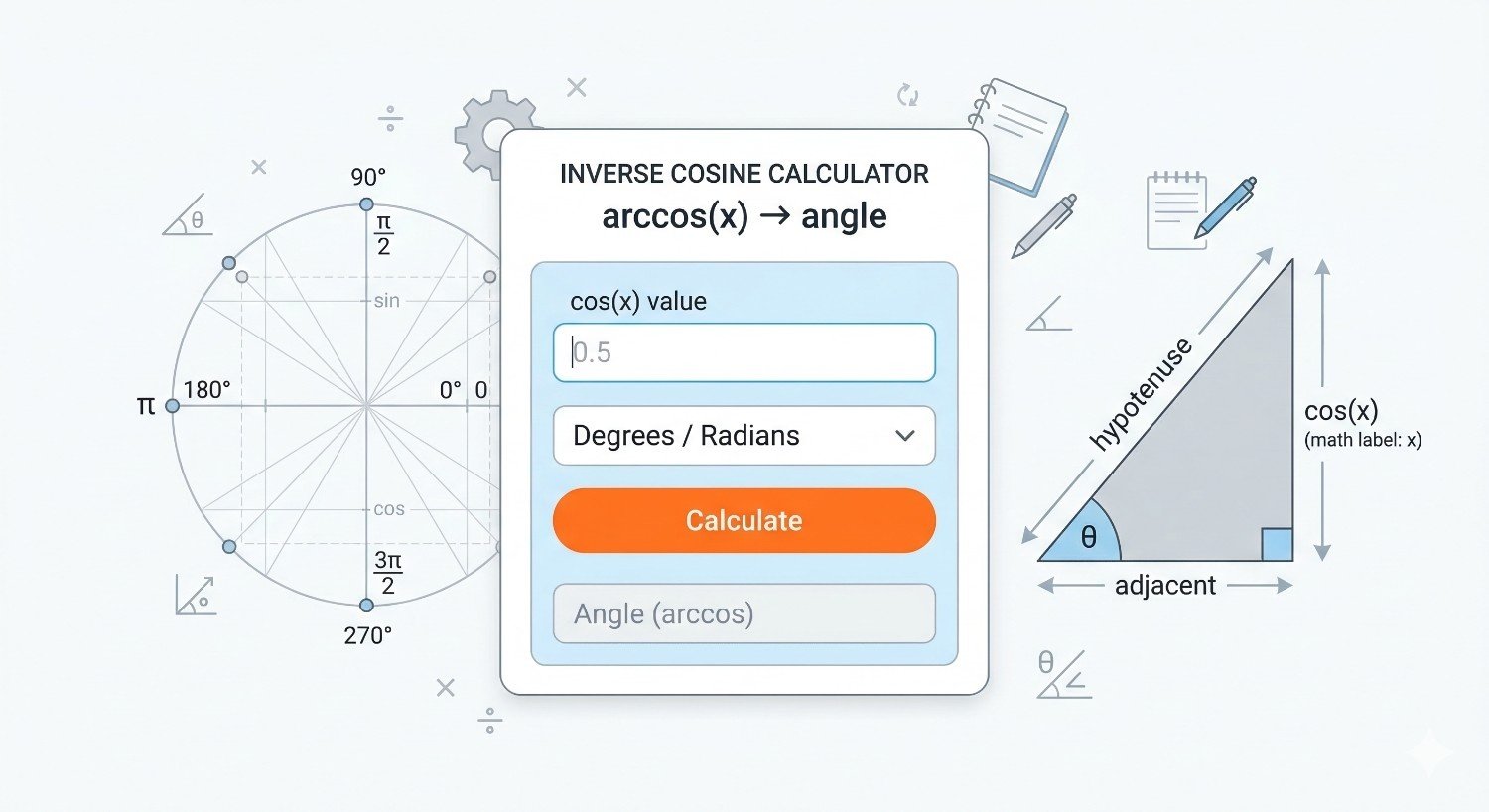
Calculate \( \arccos(x) \), also written as \( \cos^{-1}(x) \), in radians or degrees. Use the calculator for exact endpoint values, decimal inputs, graph interpretation, unit-circle checks, trigonometry homework, calculus review, and scientific calculator verification.
Quick answer: \( \arccos(x) \) returns the angle \( \theta \) in the principal range \(0 \le \theta \le \pi\) such that \( \cos(\theta)=x \). The input must satisfy \( -1 \le x \le 1 \).
Online Arccos Calculator
Use values from -1 to 1 only. Examples: -1, -0.5, 0, 0.5, 1.
Graph of \(y=\arccos(x)\)
The curve decreases from \( \pi \) at \(x=-1\) to 0 at \(x=1\). The highlighted point updates when you calculate a value.
What Is Arccos?
The arccos function is the inverse cosine function. It answers a reverse trigonometry question: if the cosine of an angle is \(x\), what is the angle? In notation, the answer is written as \( \arccos(x) \), \( \acos(x) \), or \( \cos^{-1}(x) \). The notation \( \cos^{-1}(x) \) means inverse cosine, not \(1/\cos(x)\). The reciprocal of cosine is secant, written \( \sec(x) \), so keeping the notation clear matters.
The defining relationship is:
The range restriction \(0\le y\le\pi\) is essential. Cosine is periodic, so many angles have the same cosine value. For example, \( \cos(60^\circ)=0.5 \), but \( \cos(300^\circ)=0.5 \) as well. The arccos function returns the principal angle, which is the standard single answer in the interval from 0 to \( \pi \) radians, or from 0° to 180°.
Arccos Formula and Domain
The input to arccos must be between -1 and 1 because cosine values never go below -1 or above 1 for real angles. If \(x=1\), the angle is 0. If \(x=0\), the principal angle is \( \pi/2 \). If \(x=-1\), the angle is \( \pi \). Values outside the interval \([-1,1]\) do not produce real arccos results.
In degrees, the output range is:
This calculator enforces the real-valued domain. If you enter 1.2 or -1.5, the real inverse cosine is not defined. In advanced complex-number contexts, inverse trigonometric functions can be extended beyond this range, but that is not the purpose of a standard inverse cosine calculator for trigonometry, geometry, and calculus.
How to Use the Arccos Calculator
Enter a number \(x\) between -1 and 1, choose radians, degrees, or both, and calculate. The result is the principal angle whose cosine equals the input. The calculator also shows a verification line by applying cosine to the computed angle. This check is useful because inverse trigonometric values are easy to mix up when switching between radians and degrees.
- Enter \(x\), such as 0.5, 0, -0.5, or 0.8660254.
- Choose radians if your class, formula, or calculator mode uses radians.
- Choose degrees if you want an answer from 0° to 180°.
- Check the graph and the verification line \( \cos(\arccos(x))=x \).
Radians are standard in calculus and many advanced formulas. Degrees are common in geometry, navigation, surveying, and introductory trigonometry. If you are not sure which unit to use, read the problem statement. A result such as 1.0472 without a unit is incomplete because 1.0472 radians and 1.0472 degrees are very different angles.
Radians and Degrees Conversion
The calculator can display inverse cosine results in radians, degrees, or both. JavaScript, scientific calculators, and many programming languages compute arccos in radians internally. To convert radians to degrees, multiply by \(180/\pi\). To convert degrees to radians, multiply by \(\pi/180\).
For example, \( \arccos(0.5)=\pi/3 \) radians. Converting to degrees gives:
For focused angle-unit conversion, RevisionTown also has separate pages for radians to degrees conversion and degrees to radians conversion. Those are useful when your trigonometry value is already known and only the angle unit needs changing.
Common Arccos Values
Some inverse cosine values are exact because they come from standard unit-circle angles. Memorizing these values makes it easier to check calculator output and solve trigonometry problems quickly.
| \(x\) | \(\arccos(x)\) in radians | \(\arccos(x)\) in degrees | Cosine check |
|---|---|---|---|
| -1 | \(\pi\) | 180° | \(\cos(\pi)=-1\) |
| \(-\sqrt{3}/2\) | \(5\pi/6\) | 150° | \(\cos(150^\circ)=-\sqrt{3}/2\) |
| \(-\sqrt{2}/2\) | \(3\pi/4\) | 135° | \(\cos(135^\circ)=-\sqrt{2}/2\) |
| -1/2 | \(2\pi/3\) | 120° | \(\cos(120^\circ)=-1/2\) |
| 0 | \(\pi/2\) | 90° | \(\cos(90^\circ)=0\) |
| 1/2 | \(\pi/3\) | 60° | \(\cos(60^\circ)=1/2\) |
| \(\sqrt{2}/2\) | \(\pi/4\) | 45° | \(\cos(45^\circ)=\sqrt{2}/2\) |
| \(\sqrt{3}/2\) | \(\pi/6\) | 30° | \(\cos(30^\circ)=\sqrt{3}/2\) |
| 1 | 0 | 0° | \(\cos(0)=1\) |
Worked Examples
Example 1: Find \( \arccos(0.5) \)
We need the principal angle whose cosine is 0.5. From the unit circle, cosine equals 0.5 at \(60^\circ\) and also at \(300^\circ\), but arccos returns the value in \(0^\circ\) to \(180^\circ\). Therefore:
The calculator shows approximately 1.0471975512 radians or 60 degrees.
Example 2: Find \( \arccos(0) \)
Cosine equals 0 at \(90^\circ\) in the principal arccos range. Therefore:
This is one of the most useful benchmark values because it marks the middle of the arccos output interval.
Example 3: Find \( \arccos(-0.5) \)
Cosine is negative in quadrant II within the arccos principal range. The angle with cosine \(-0.5\) in that interval is \(120^\circ\):
A common mistake is to answer \(240^\circ\). That angle also has cosine \(-0.5\), but it is not in the principal range of arccos.
Example 4: Find \( \arccos(1) \) and \( \arccos(-1) \)
The endpoints are exact:
These endpoint values are useful for checking domain and range. The function begins at \( \pi \) when \(x=-1\) and ends at 0 when \(x=1\).
Graph of \(y=\arccos(x)\)
The arccos graph has domain \([-1,1]\) and range \([0,\pi]\). It is a decreasing curve. At \(x=-1\), the output is \( \pi \). At \(x=0\), the output is \( \pi/2 \). At \(x=1\), the output is 0. The graph is not a straight line because cosine is not linear.
The graph is steep near \(x=-1\) and \(x=1\). This happens because the derivative of arccos contains a square root in the denominator:
As \(x\) gets close to -1 or 1, the denominator \( \sqrt{1-x^2} \) gets close to 0, so the magnitude of the slope grows large. In practical terms, small changes in \(x\) near the endpoints can produce comparatively large changes in the angle.
If you are reviewing calculus, the dedicated page on derivatives of inverse trigonometric functions is a natural next step after understanding the basic calculator output.
Arccos and the Unit Circle
The unit circle gives a visual way to understand arccos. On the unit circle, \( \cos(\theta) \) is the x-coordinate of the point at angle \( \theta \). Therefore, \( \arccos(x) \) asks: which principal angle has x-coordinate \(x\)? The answer is chosen from the upper half of the unit circle, from \(0\) to \( \pi \).
When \(x\) is positive, the arccos angle is between 0 and \( \pi/2 \). When \(x=0\), the angle is \( \pi/2 \). When \(x\) is negative, the angle is between \( \pi/2 \) and \( \pi \). This explains why negative inputs produce angles above 90° but below or equal to 180°.
For a broader review of standard angles and coordinates, see RevisionTown's guide to mastering the unit circle. This arccos calculator page stays focused on inverse cosine output, while the unit-circle page supports the wider geometry and trigonometry background.
Arccos vs Arcsin vs Arctan
Arccos, arcsin, and arctan are all inverse trigonometric functions, but they answer different reverse questions. \( \arccos(x) \) asks for the angle whose cosine is \(x\). \( \arcsin(x) \) asks for the angle whose sine is \(x\). \( \arctan(x) \) asks for the angle whose tangent is \(x\). Their domains and ranges are not all the same.
| Function | Question answered | Real input domain | Principal output range |
|---|---|---|---|
| \(\arccos(x)\) | What angle has cosine \(x\)? | \([-1,1]\) | \([0,\pi]\) |
| \(\arcsin(x)\) | What angle has sine \(x\)? | \([-1,1]\) | \([-\pi/2,\pi/2]\) |
| \(\arctan(x)\) | What angle has tangent \(x\)? | All real numbers | \((-\pi/2,\pi/2)\) |
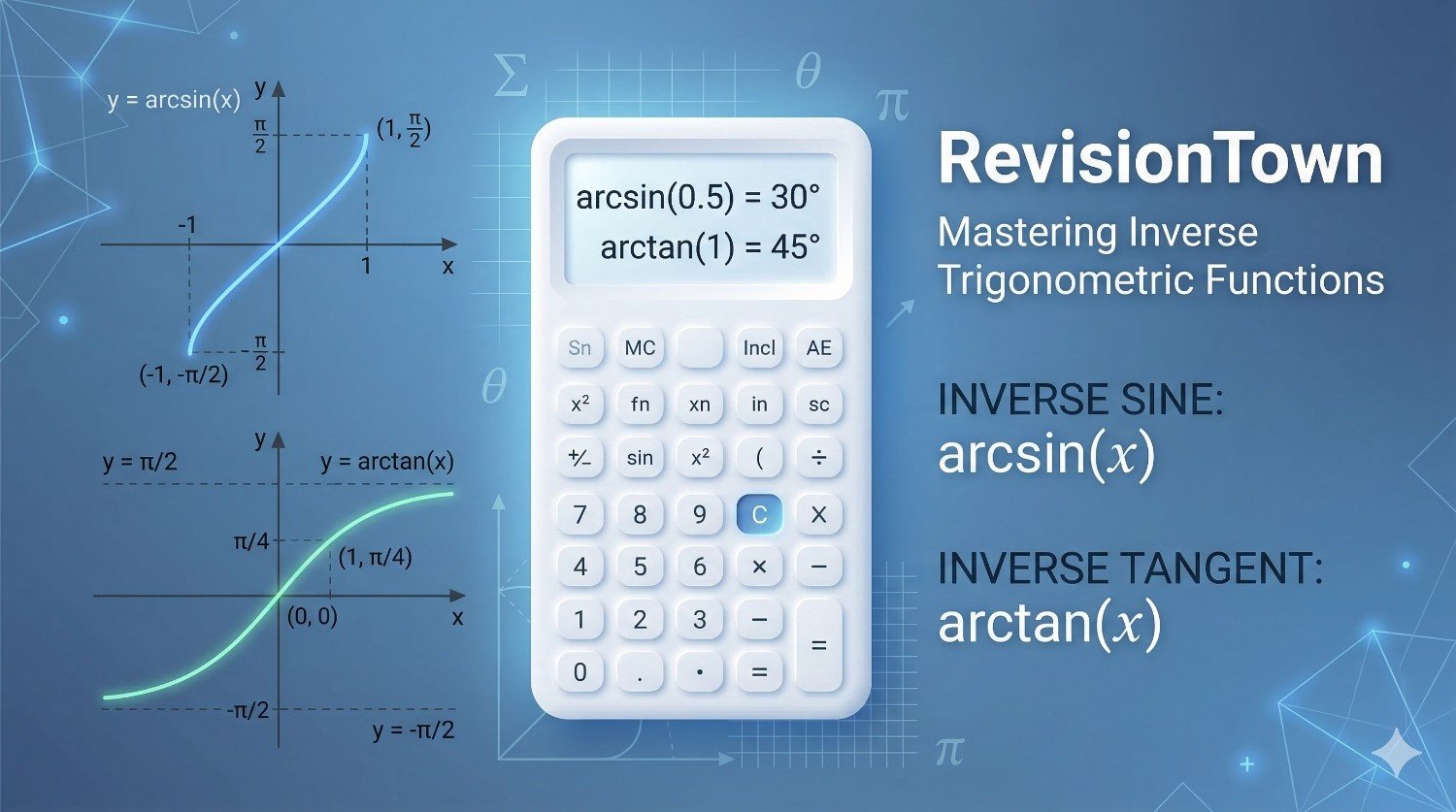
If you need the companion inverse functions, use the dedicated arcsin calculator or arctan calculator. Keeping each inverse trigonometric calculator separate helps each page rank for its own intent instead of mixing different functions on one page.
Cosine Inverse Notation: \( \cos^{-1}(x) \)
The notation \( \cos^{-1}(x) \) is widely used for inverse cosine, but it can confuse students because exponent \(-1\) often means reciprocal in other contexts. In trigonometry, \( \cos^{-1}(x) \) usually means \( \arccos(x) \). It does not mean \(1/\cos(x)\). The reciprocal of cosine is secant:
Therefore:
Always read the surrounding context. In a calculator button labeled \( \cos^{-1} \), the meaning is inverse cosine. In algebraic exponent notation applied to a value, \(-1\) may mean reciprocal. This is why many textbooks use \( \arccos(x) \) for clarity.
Using Arccos in Right Triangles
In a right triangle, cosine is the ratio of adjacent side to hypotenuse:
If you know the adjacent side and hypotenuse and need the angle, use inverse cosine:
For example, if the adjacent side is 6 and the hypotenuse is 10, then \(x=6/10=0.6\). The angle is:
Because side lengths in a real right triangle are positive and the angle is acute in many basic right-triangle problems, the degree output may feel more intuitive. In advanced trigonometry and calculus, radians are usually preferred.
For a wider review of trig ratios, identities, and formulas, the trigonometry formulas page is a useful companion.
Using Arccos With Vectors
Arccos appears in vector geometry through the dot product. If two nonzero vectors \( \mathbf{a} \) and \( \mathbf{b} \) have dot product \( \mathbf{a}\cdot\mathbf{b} \), then the angle between them satisfies:
To find the angle, apply arccos:
The fraction inside arccos should be between -1 and 1. Because of rounding in computer calculations, a value extremely close to 1 may appear as 1.0000000001. In numerical work, programmers often clamp tiny floating-point overshoots back into \([-1,1]\) before applying arccos. For hand calculations, this reminds you to check whether the ratio is reasonable before pressing the inverse cosine button.
Using Arccos in the Law of Cosines
The law of cosines relates the sides of a triangle to one angle:
Solving for the angle \(C\) gives:
This is one of the most common uses of inverse cosine outside basic right-triangle trigonometry. If you know three side lengths and need an angle, calculate the ratio inside the parentheses, then use arccos. The result is the included angle opposite side \(c\).
For more detail on this triangle relationship, RevisionTown has separate guides for the cosine rule and the law of cosines. Those pages focus on triangle-solving workflows, while this calculator focuses specifically on evaluating inverse cosine values.
Arccos in Calculus
In calculus, \( \arccos(x) \) appears in differentiation, integration, inverse-function analysis, and curve behavior. Its derivative is:
The negative sign matches the graph: arccos decreases as \(x\) increases. The denominator explains why the graph becomes very steep near \(x=-1\) and \(x=1\). The derivative is defined only for \(-1 An antiderivative involving arccos is: You do not need these calculus formulas to use the calculator, but they explain why inverse cosine is important beyond angle lookup. In exams, always check whether a problem asks for a numeric inverse cosine value or a symbolic derivative/integral involving arccos. Arccos results are often irrational numbers, so decimals must be rounded. The right amount of rounding depends on the task. A homework problem might ask for the nearest degree. A scientific calculation might require four decimal places in radians. A programming test might compare results using a tolerance rather than exact decimal text. For example: If the problem asks for one decimal place in degrees, write 72.5°. If it asks for three decimal places in radians, write 1.266 rad. Do not mix rounded values in the middle of a multi-step calculation unless instructed. Keep more precision internally and round at the end. The most common practical error with arccos is using the wrong angle mode. If a calculator is in radian mode, \( \arccos(0.5) \) displays about 1.0472. If it is in degree mode, it displays 60. Both are correct, but they use different units. The wrong unit can make an otherwise correct calculation appear incorrect. When checking work, ask whether the result size makes sense. An arccos output in radians must be between 0 and about 3.1416. An arccos output in degrees must be between 0 and 180. If a result is outside those ranges, something is wrong for real-valued arccos. If you need a broader tool with many functions, the scientific calculator page can support additional trigonometric, logarithmic, and exponential calculations. Real arccos is defined only for \( -1\le x\le 1 \). Values such as 1.2 or -2 do not correspond to real cosine values. \( \cos^{-1}(x) \) means inverse cosine in this context. It does not mean \(1/\cos(x)\). Arccos returns values from 0 to \( \pi \). It does not return every possible angle with the same cosine. Always label the unit. \(1.0472\) rad and \(60^\circ\) describe the same angle, but \(1.0472^\circ\) is a very different angle. The simplest check is to apply cosine to the result. If \( \theta=\arccos(x) \), then \( \cos(\theta)=x \). For example, if the calculator says \( \arccos(0.6)\approx53.1301^\circ \), check: If you are checking in radians, use: Make sure the checking calculator is in the same angle mode as the unit you are using. If you type 53.1301 into a calculator set to radians, the check will not work because 53.1301 radians is not 53.1301 degrees. Use arccos when you know a cosine value and need the principal angle. This happens in right-triangle problems, triangle side-angle problems, vector angle calculations, physics direction problems, computer graphics, robotics, navigation, and geometry. The input should be a ratio or a cosine value, not an angle. If you already have an angle and need its cosine, use the cosine function instead. Use arccos especially when the known ratio is adjacent over hypotenuse in a right triangle, or when a dot-product formula gives a normalized value. If the known ratio is opposite over hypotenuse, arcsin may be the direct inverse function. If the known ratio is opposite over adjacent, arctan may be more direct. For general trigonometry review beyond inverse cosine, RevisionTown's basic trigonometry and trigonometric functions pages provide broader background. 1. \(0\) rad, \(0^\circ\). 2. \(\pi/2\) rad, \(90^\circ\). 3. \(2\pi/3\) rad, \(120^\circ\). 4. \(\pi/4\) rad, \(45^\circ\). 5. \( \arccos(8/10)=\arccos(0.8)\approx0.6435\) rad, or about \(36.87^\circ\). 6. Cosine values for real angles must be between -1 and 1, so 1.4 is outside the real arccos domain. Word problems often hide the arccos step inside a ratio. Read the problem carefully and identify the cosine relationship before pressing the inverse cosine button. If the problem gives adjacent side and hypotenuse, the ratio is adjacent divided by hypotenuse. If the problem gives three sides of a triangle, the law of cosines may be needed first. If the problem gives vectors, the dot-product formula usually creates the input to arccos. Example: A ramp rises along a path where the horizontal projection is 4 meters and the ramp length is 5 meters. The angle with the horizontal has cosine \(4/5=0.8\). Therefore: Example: Two normalized direction vectors have dot product 0.25. The angle between them is: In both cases, the arccos input is not an angle. It is a cosine value produced by the geometry of the problem. Not every arccos input is a familiar unit-circle value. Many calculator problems use decimals from measurements, ratios, vector calculations, or rounded data. In those cases, the calculator gives a decimal angle. The same rules still apply: the input must be between -1 and 1, and the output is the principal angle from 0 to \( \pi \). The pattern is worth noticing. Positive inputs produce angles from 0° to 90°. The input 0 produces exactly 90°. Negative inputs produce angles from 90° to 180°. This sign pattern comes directly from the cosine function on the upper half of the unit circle. The principal range of arccos covers quadrants I and II on the unit circle. It begins at 0° on the positive x-axis, passes through 90° on the positive y-axis, and ends at 180° on the negative x-axis. This is why the sign of \(x\) tells you which part of the range the answer belongs to. If \(x>0\), then \( \arccos(x) \) is in quadrant I, between 0° and 90°. If \(x=0\), then \( \arccos(x)=90^\circ \). If \(x<0\), then \( \arccos(x) \) is in quadrant II, between 90° and 180°. The calculator does not return quadrant III or IV angles because those are outside the principal arccos range. For example, \( \cos(120^\circ)=-0.5 \), so \( \arccos(-0.5)=120^\circ \). The angle \(240^\circ\) also has cosine \(-0.5\), but it is not the principal arccos output. If a problem asks for all solutions to \( \cos(\theta)=-0.5 \), then you need a trigonometric equation method rather than just a single arccos value. If it asks for \( \arccos(-0.5) \), the answer is the principal value 120°. Arccos is often the first step in solving equations involving cosine, but it may not be the final answer. The equation \( \cos(\theta)=x \) can have infinitely many solutions because cosine is periodic. Arccos gives the principal reference angle in the interval from 0 to \( \pi \), and then periodicity can be used to describe all angles if the problem asks for them. For \( \cos(\theta)=0.5 \), arccos gives: On the interval \(0\le\theta<2\pi\), the solutions are: The second solution is not returned by arccos because arccos returns only the principal angle. For all real solutions, use periodicity: This distinction is important in algebra and precalculus. A calculator that evaluates arccos gives a principal inverse value. A problem that asks you to solve a trigonometric equation may require additional angles. For more equation-solving context, RevisionTown's trigonometric equations page can support the broader workflow. A reference angle is the acute angle made with the x-axis. Arccos results can be understood through reference angles, especially when the input is negative. If \(x=-0.5\), the reference angle for the cosine magnitude \(0.5\) is 60°. Because the cosine is negative and arccos returns a quadrant II angle, the principal answer is: In radians, the same idea is: This method is useful when the input is a familiar negative value such as \(-1/2\), \(-\sqrt{2}/2\), or \(-\sqrt{3}/2\). For unfamiliar decimals, the calculator provides the angle directly, but the quadrant pattern remains the same. Computer graphics, game development, robotics, and simulation often use arccos to find the angle between two directions. If two vectors are normalized, their dot product equals the cosine of the angle between them. Applying arccos converts that dot product into an angle. For example, if two unit direction vectors have dot product 0.8, the angle between them is \( \arccos(0.8)\approx36.87^\circ \). If the dot product is 0, the directions are perpendicular, so the angle is 90°. If the dot product is -1, the directions point exactly opposite each other, so the angle is 180°. In numerical programming, dot products may produce tiny floating-point errors. A value that should be 1 may appear as 1.00000000002. Since arccos is real-valued only on \([-1,1]\), robust code often clamps the value before calling arccos: This is not a license to hide large errors. It is a practical safeguard for tiny rounding noise after a value has already been mathematically constrained to the valid interval. Direction problems sometimes use arccos when a known component of a vector is compared with its magnitude. If the horizontal component of a displacement is known and the total displacement magnitude is known, the angle from the horizontal can be found with inverse cosine. Suppose an object moves 300 meters total, and its eastward component is 240 meters. The cosine of the angle from east is: The angle is: The arccos result gives the magnitude of the angle from the reference direction. In a full navigation problem, you must also consider whether the direction is north or south of east, or above or below a reference axis. Arccos gives the principal angle, while the physical direction may require a diagram or sign convention. When \(x\) is a standard cosine value, the exact arccos answer may involve \( \pi \) and fractions rather than decimals. Exact forms are usually preferred in pure mathematics because they preserve precision and show the relationship to the unit circle. Examples include: For negative versions, the answer shifts into quadrant II: A decimal calculator may show 0.7853981634 for \( \pi/4 \). Both are correct, but exact notation is often cleaner when the value is recognizable. If the input is a rounded decimal such as 0.7071, the calculator cannot know whether the intended exact value is \( \sqrt{2}/2 \), so it returns a decimal result. Cosine is not one-to-one over all real numbers because it repeats and because different angles can share the same cosine value. To define an inverse function, mathematicians restrict cosine to an interval where each cosine value occurs once. For arccos, the chosen interval is \(0\le\theta\le\pi\). On this interval, cosine decreases smoothly from 1 to -1. Every value from -1 to 1 appears exactly once. That makes the inverse function possible: This restriction is why arccos returns \(120^\circ\) for \(-0.5\), not \(240^\circ\). The value \(240^\circ\) is a valid solution of a cosine equation, but it is outside the interval used to define the inverse cosine function. When an exact unit-circle answer exists, a decimal calculator output should match the exact answer after conversion. For instance, \( \arccos(0.5) \) may display 1.0471975512 radians. Dividing \( \pi \) by 3 gives the same decimal value: If you choose degrees, the calculator should display 60. If it displays 1.0472 when you expected 60, the output is probably in radians. If it displays 60 when a calculus problem expects radians, convert or change calculator mode before using the value in a formula. For exact answers, write the exact form first and the decimal only if requested. A strong answer might be: \( \arccos(1/2)=\pi/3=60^\circ \). That tells the reader the exact radian measure and the degree equivalent. When \(x\) comes from measured data, it may be approximate. A side-length ratio such as 8.02/10.01 may produce 0.8011988012. The arccos result is then approximate as well. In measurement-based problems, do not overstate precision. If the input was measured to three significant figures, the angle should usually be rounded accordingly. For example: If the original measurements are not exact, writing \(36.768923114^\circ\) gives a false impression of precision. A practical result such as \(36.8^\circ\) may be more appropriate. The calculator can produce many decimals, but the real-world measurement controls how many are meaningful. The arccos function decreases because cosine decreases on the interval \(0\le\theta\le\pi\). At \(0\), cosine is 1. At \( \pi/2 \), cosine is 0. At \( \pi \), cosine is -1. Since arccos reverses that relationship, larger \(x\)-values correspond to smaller angles. This can feel backwards at first. In many functions, larger input means larger output. For arccos, as the input moves from -1 to 1, the output moves from \( \pi \) down to 0. The graph and derivative both show this behavior. The derivative is negative throughout the open interval \((-1,1)\): Understanding that arccos is decreasing helps with estimation. If \(x=0.9\), the angle should be small. If \(x=-0.9\), the angle should be close to 180°. If a calculator output does not match that pattern, check the input and unit. Most spreadsheet tools provide an inverse cosine function that returns radians. The function name is often ACOS. If cell A2 contains a valid input between -1 and 1, the radian result is usually: To convert that result to degrees, spreadsheets often provide a degrees function, or you can multiply by \(180/\pi\): Label spreadsheet columns clearly. A column named "angle" is less useful than "angle_rad" or "angle_deg." If a later formula assumes radians but the column contains degrees, the results can be completely wrong without any visible spreadsheet error. Programming languages usually name the inverse cosine function something like acos. The result is usually in radians. To display degrees, multiply by \(180/\pi\). A simple programming workflow is: Before calling an arccos function, validate the input. If the value comes from user input, side lengths, vectors, or sensor data, check that it is within the valid range. For vector dot products, consider numerical rounding. For user-entered values, show a clear error if the value is outside \([-1,1]\). Use unit-aware variable names. Names such as angleRad and angleDeg reduce mistakes. The two values represent the same angle, but they are not interchangeable in formulas. Inverse trigonometric functions are easiest to use when you know which compositions simplify directly and which require caution. For valid \(x\) in the arccos domain, the identity below is always true: This is the main verification rule used by the calculator. If you calculate \(y=\arccos(0.25)\), then \( \cos(y) \) should return 0.25, allowing for rounding. The reverse composition needs more care: It equals \(\theta\) only when \(\theta\) is already in the principal arccos range \(0\le\theta\le\pi\). For example, \( \arccos(\cos(60^\circ))=60^\circ \), but \( \arccos(\cos(300^\circ))=60^\circ \), not 300°. The arccos function returns the principal angle, so it folds all equivalent cosine angles back into the interval from 0° to 180°. Another useful relationship connects arccos and arcsin: This identity is valid for \( -1\le x\le 1 \) using the principal ranges of arcsin and arccos. It can help check answers. If \( \arccos(0.5)=\pi/3 \), then \( \arcsin(0.5)=\pi/6 \), and the two add to \( \pi/2 \). When arccos appears in triangle problems, the expression inside arccos can reveal whether the triangle data is possible. In the law of cosines formula, the input to arccos is: For a real triangle angle, this value must fall between -1 and 1. If the expression is greater than 1 or less than -1, the side lengths may violate the triangle inequality, may be copied incorrectly, or may have been rounded too aggressively. For example, side lengths 3, 4, and 10 cannot form a triangle because 3 + 4 is less than 10. If you force those numbers into the law of cosines, the arccos input will not represent a valid real angle. This is not a calculator failure. It is a geometry warning that the original side lengths are not physically possible for a triangle. For valid side lengths, the arccos result will be between 0° and 180°. A very small angle means the opposite side is relatively short compared with the other two sides. An angle close to 180° means the triangle is nearly flat. In measurement contexts, angles near 0° or 180° can be sensitive to small errors in side lengths. A quick estimate helps catch input and unit mistakes. Since \( \arccos(1)=0^\circ \), \( \arccos(0)=90^\circ \), and \( \arccos(-1)=180^\circ \), every result should fit into that pattern. Inputs close to 1 give small angles. Inputs close to 0 give angles near 90°. Inputs close to -1 give angles near 180°. For example, \(x=0.98\) should produce a small angle because its cosine is very close to 1. The answer should not be near 90°. Conversely, \(x=-0.98\) should produce an angle close to 180°. If you accidentally type 0.98 instead of -0.98, the angle changes dramatically. Estimation makes that sign error obvious. You can also estimate using known values. Since \( \cos(60^\circ)=0.5 \) and \( \cos(45^\circ)\approx0.7071 \), an input of 0.6 should produce an angle between 45° and 60°. The calculator gives about 53.13°, which fits the estimate. This habit is useful in exams because it prevents blindly accepting an unreasonable output. Cosine has even symmetry, meaning \( \cos(-\theta)=\cos(\theta) \). Arccos handles this symmetry by returning principal values only from 0 to \( \pi \). A related identity is: For example, \( \arccos(0.5)=\pi/3 \), so: In degrees, that is \(180^\circ-60^\circ=120^\circ\). This identity is a useful way to check negative inputs. The positive and negative input results are symmetric around 90°. If \( \arccos(0.8)\approx36.87^\circ \), then \( \arccos(-0.8)\approx143.13^\circ \). The two angles add to 180°. Use degrees when the answer will be interpreted as a visual or practical angle: a ramp angle, triangle angle, compass-related angle, survey angle, or classroom geometry result. Degrees are often easier for humans to visualize because 30°, 45°, 60°, and 90° are familiar benchmarks. Use radians when the angle will be used inside calculus, programming math functions, series expansions, angular velocity formulas, or most advanced mathematical models. Radians connect naturally to arc length and derivatives. Many programming functions also expect radians, so converting degree output back to radians before calling sine or cosine is a common source of errors. If a task has multiple steps, keep the unit consistent from start to finish. For example, if a vector calculation gives an arccos angle in radians and the next formula expects radians, do not convert to degrees just for display and then reuse the degree value. Display a degree version for readability if needed, but keep the radian value for computation. A complete inverse cosine answer should include the function input, the angle value, and the unit. For example, write \( \arccos(0.6)\approx0.9273\text{ rad}\approx53.13^\circ \). This is clearer than simply writing 53.13 because it tells the reader what was calculated and how the angle is measured. If the input is exact and the result is a standard angle, use exact notation. For example, \( \arccos(1/2)=\pi/3 \) is better than only writing 1.0471975512. The decimal may be included afterward if the problem asks for it. For measured or approximate values, decimal notation is appropriate, but rounding should reflect the data quality and instructions. When an arccos value comes from a larger formula, include the setup. A triangle answer should show the ratio or law-of-cosines expression before the final angle. A vector answer should show the dot-product ratio. That makes the solution easier to audit and helps distinguish an arccos input from an angle input. \(\arccos(x)\) means the principal angle whose cosine is \(x\). It returns a value from 0 to \(\pi\) radians, or from 0° to 180°. The real-valued domain of arccos is \([-1,1]\). Inputs outside this interval do not have real inverse cosine results. The principal range is \([0,\pi]\) radians, which is the same as 0° to 180°. \(\arccos(0.5)=\pi/3\) radians, which is 60°. \(\arccos(-1)=\pi\) radians, which is 180°. Yes. Arccos, inverse cosine, acos, and \(\cos^{-1}(x)\) usually refer to the same inverse trigonometric function. No. In inverse trigonometry, \(\cos^{-1}(x)\) means arccos. The expression \(1/\cos(x)\) is secant, written \(\sec(x)\). Cosine is periodic, so many angles can have the same cosine. Arccos returns the principal angle in the interval from 0 to \(\pi\) so the inverse function has one output for each valid input. Use the unit required by your problem. Calculus and programming usually use radians. Geometry and many applied angle problems often use degrees. Apply cosine to the result. If \(y=\arccos(x)\), then \(\cos(y)=x\), provided the calculator is using the correct angle unit. Accuracy note: This calculator evaluates real-valued inverse cosine for inputs in \([-1,1]\). Results are shown as decimals in radians and degrees; exact forms such as \(\pi/3\), \(\pi/2\), and \(2\pi/3\) are included in the reference table where they apply.Rounding Arccos Results
Calculator Mode Mistakes
Common Mistakes to Avoid
Using Inputs Outside \([-1,1]\)
Confusing Arccos With Secant
Forgetting the Principal Range
Mixing Radians and Degrees
How to Check an Arccos Answer
When to Use Arccos
Practice Problems
Answers
Arccos in Word Problems
Final Arccos Checklist
More Decimal Arccos Examples
Input \(x\) \(\arccos(x)\) radians \(\arccos(x)\) degrees Interpretation 0.9 0.4510268118 25.84193276° Small acute angle because cosine is close to 1 0.75 0.7227342478 41.40962211° Acute angle 0.25 1.3181160717 75.52248781° Still below 90° because cosine is positive -0.25 1.8234765819 104.47751219° Above 90° because cosine is negative -0.75 2.4188584058 138.59037789° Quadrant II principal angle -0.9 2.6905658418 154.15806724° Close to 180° because cosine is close to -1 Interpreting Arccos Output by Quadrant
Arccos and Solving Cosine Equations
Arccos and Reference Angles
Arccos in Computer Graphics and Robotics
Arccos in Navigation and Direction Problems
Arccos With Exact Values and Radicals
Arccos and Inverse Function Restrictions
Comparing Calculator Output to a Unit Circle Answer
Arccos Input From Measurements
Why Arccos Is Decreasing
Arccos in Spreadsheet Work
Arccos in Programming
Arccos Identities and Composition Rules
Arccos in Triangle Feasibility Checks
Estimating Arccos Before Calculating
Arccos and Symmetry
Choosing Degree or Radian Output in Real Tasks
Reporting Arccos Answers Clearly
Frequently Asked Questions
What does arccos(x) mean?
What is the domain of arccos?
What is the range of arccos?
What is arccos(0.5)?
What is arccos(-1)?
Is arccos the same as inverse cosine?
Is \(\cos^{-1}(x)\) the same as \(1/\cos(x)\)?
Why does arccos return only one angle?
Should arccos be in radians or degrees?
How can I check an arccos answer?