
Time duration, work hours, and date-time differences
Hours Calculator: Calculate Time Duration, Work Hours & Time Differences
Use this hours calculator to find the elapsed time between two times, calculate net work hours after breaks, convert hours and minutes into decimal hours, and understand the formulas behind accurate time tracking. It is useful for timesheets, payroll preparation, project billing, shift planning, study schedules, travel timing, and any situation where a time difference must be clear and defensible.
Calculate hours between two times
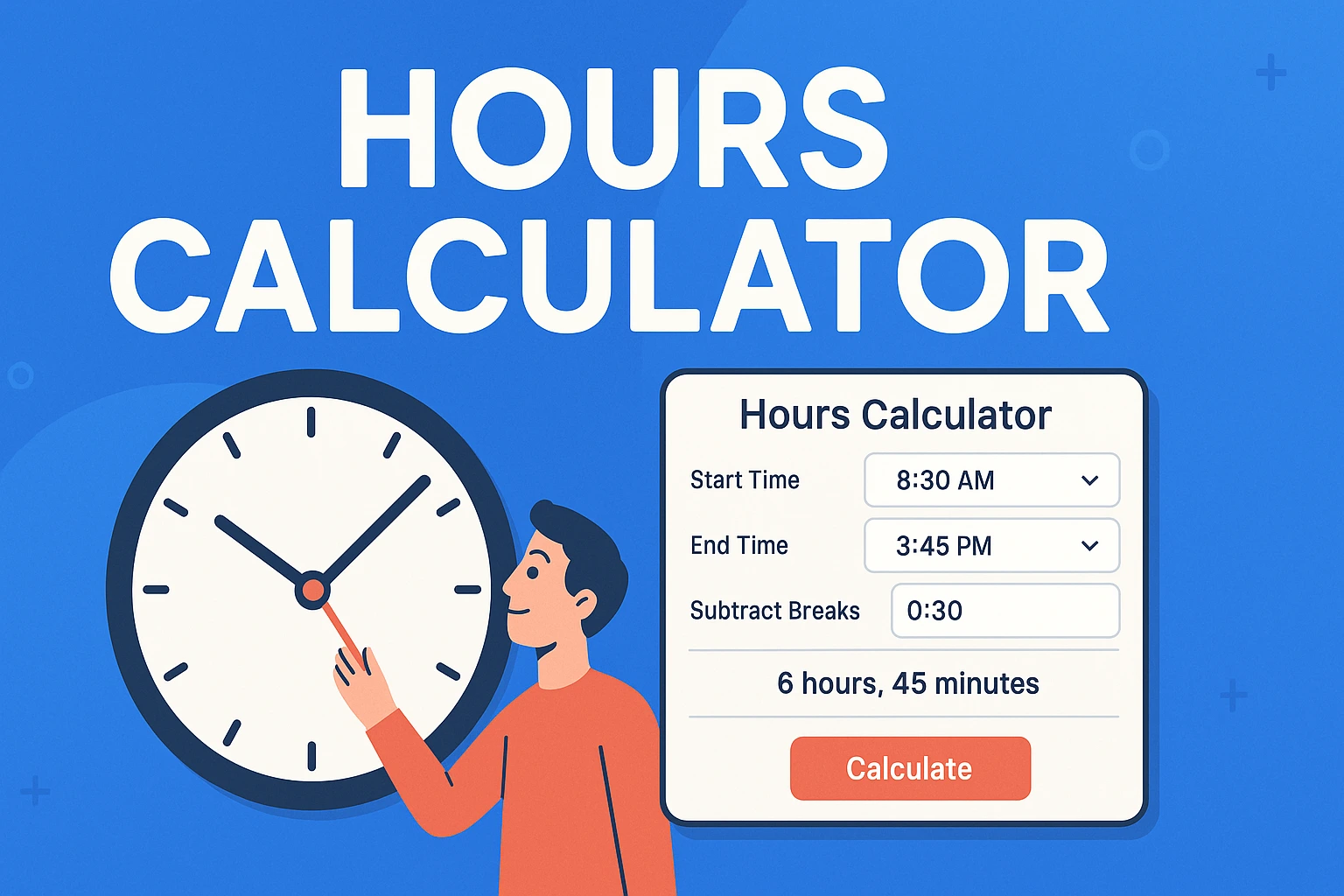
Enter a start date and time, an end date and time, and any unpaid break time. The calculator returns total elapsed time, net work hours, decimal hours, and total minutes. If you leave both dates as the same day and the end time is earlier than the start time, the calculator treats the end time as the next day, which is useful for overnight shifts.
Use the date the shift, activity, or interval begins.
24-hour input prevents AM/PM confusion.
Use the date the shift, activity, or interval ends.
For overnight shifts, choose the next date or let the tool infer it.
Use total unpaid break time. Enter 30 for a 30-minute break.
Rounding changes displayed net work time only.
What an hours calculator does
An hours calculator measures the duration between two points in time. The simplest case is a same-day interval, such as \(9{:}00\) to \(17{:}00\). The calculator subtracts the start time from the end time and returns \(8\) hours. Real time tracking is often more complicated: a shift may cross midnight, a project may span several days, a timesheet may include unpaid breaks, or a payroll system may require decimal hours instead of the usual hours-and-minutes format.
The purpose of a good hours calculator is not only to subtract times. It should also make the result usable. A manager may need total minutes for scheduling. A freelancer may need decimal hours for billing. A student may need elapsed time for study planning. A payroll clerk may need net hours after break deductions. A project lead may need cumulative hours across tasks. Each use case begins with the same concept, but the final format can differ.
Time is easy to miscalculate manually because it is not a decimal measurement at the minute level. One hour has \(60\) minutes, not \(100\) minutes. That means \(1\) hour \(30\) minutes is \(1.5\) hours, not \(1.30\) hours. Similarly, \(7\) hours \(45\) minutes is \(7.75\) hours, not \(7.45\). The calculator handles those conversions automatically, while the guide below explains the mathematics so you can check the answer and apply it correctly.
If you are comparing this tool with broader date and time utilities, RevisionTown also has a time calculator for adding, subtracting, and tracking time, a time converter, and a date and time calculator. This page focuses specifically on hours, work hours, duration, and time differences.
Core formulas for calculating hours
The most reliable way to calculate hours is to convert both times into a common unit, subtract, and then convert the result into the format you need. Minutes are usually the easiest unit for everyday calculations. If a time is \(H\) hours and \(M\) minutes after midnight, then its total minutes after midnight are:
For a same-day interval, the elapsed minutes are:
Then convert elapsed minutes into decimal hours by dividing by \(60\):
For example, from \(9{:}15\) to \(17{:}45\), the start is \(9\times60+15=555\) minutes after midnight. The end is \(17\times60+45=1065\) minutes after midnight. The difference is \(1065-555=510\) minutes. Dividing by \(60\) gives \(8.5\) hours, which is \(8\) hours \(30\) minutes.
For intervals that include dates, a more general formula uses date-time values. If \(t_{\text{start}}\) and \(t_{\text{end}}\) are measured in milliseconds, seconds, or minutes from the same reference point, then:
This is how calculators and spreadsheets typically work internally. They convert calendar dates and clock times into serial date-time values, subtract them, and then display the result as hours, minutes, days, or decimal hours.
Decimal hours and hours:minutes format
Decimal hours express time as a base-10 number. This format is useful for payroll, invoices, project estimates, and any situation where time is multiplied by a rate. The conversion from hours and minutes to decimal hours is:
If a task takes \(3\) hours \(45\) minutes, then \(H=3\) and \(M=45\). The decimal result is \(3+\frac{45}{60}=3.75\) hours. If a worker records \(7\) hours \(30\) minutes, the decimal result is \(7.5\) hours. If a consultant bills \(2\) hours \(6\) minutes, the decimal result is \(2.1\) hours because \(6\) minutes is one tenth of an hour.
The reverse conversion is also important. To convert decimal hours back to hours and minutes, keep the whole-number part as hours, multiply the fractional part by \(60\), and round the minutes appropriately:
For \(5.25\) hours, the whole-number part is \(5\), and the fractional part is \(0.25\). Multiply \(0.25\) by \(60\) to get \(15\) minutes. Therefore \(5.25\) hours is \(5{:}15\). For \(8.75\) hours, the fractional part \(0.75\) becomes \(45\) minutes, so \(8.75\) hours is \(8{:}45\).
| Time | Decimal hours | Total minutes | Common use |
|---|---|---|---|
| 0:15 | 0.25 | 15 | Quarter-hour rounding or short break. |
| 0:30 | 0.50 | 30 | Half-hour lunch or meeting block. |
| 0:45 | 0.75 | 45 | Three-quarter-hour task. |
| 1:06 | 1.10 | 66 | Tenth-of-hour billing increment. |
| 1:15 | 1.25 | 75 | One and one-quarter hours. |
| 1:30 | 1.50 | 90 | One and one-half hours. |
| 7:45 | 7.75 | 465 | Common work shift duration. |
| 8:00 | 8.00 | 480 | Standard full shift reference. |
Calculating work hours with breaks
Work hours usually mean the time that counts as payable, billable, or productive under a particular policy. If the total elapsed time includes unpaid breaks, those breaks must be subtracted. The basic formula is:
If a shift runs from \(9{:}00\) to \(17{:}30\), the elapsed time is \(8\) hours \(30\) minutes, or \(510\) minutes. If the worker has a \(30\)-minute unpaid meal break, the net work time is \(510-30=480\) minutes, which is \(8.0\) hours. If there are two unpaid breaks of \(15\) minutes each plus a \(30\)-minute unpaid lunch, subtract \(60\) minutes from the elapsed time.
The important word is unpaid. Some workplaces treat short rest breaks as paid time and meal breaks as unpaid time. Others use different policies based on local rules, employment agreements, or internal procedures. The calculator lets you enter a single total for unpaid break minutes. If a break is paid, do not subtract it. If a break is unpaid, include it in the break-minute value.
For several breaks, add the break times first:
Then subtract the total from elapsed minutes. This avoids inconsistent treatment of individual breaks and makes timesheet review easier. For example, a \(10\)-hour shift with a \(30\)-minute meal break and two \(15\)-minute unpaid rest periods has \(60\) unpaid break minutes. The net work time is \(9\) hours, not \(9.5\) or \(10\).
Overnight shifts and time across midnight
An overnight shift starts on one calendar day and ends on the next. Examples include \(22{:}00\) to \(06{:}00\), \(23{:}30\) to \(07{:}15\), or \(18{:}00\) on Friday to \(02{:}00\) on Saturday. Manual calculations can go wrong because the clock resets at midnight. The safest approach is to include dates. Once both date and time are included, the duration is simply end date-time minus start date-time.
If dates are not available, a common shortcut is to add \(24\) hours to the end time when the end time is earlier than the start time. For \(22{:}00\) to \(06{:}00\), treat the end as \(30{:}00\) in a temporary calculation. Then \(30-22=8\) hours. For \(23{:}30\) to \(07{:}15\), convert to minutes. Start is \(23\times60+30=1410\). End is \(7\times60+15=435\). Because the end is earlier, add \(1440\) minutes to the end: \(435+1440=1875\). The duration is \(1875-1410=465\) minutes, or \(7\) hours \(45\) minutes.
The general one-night formula in minutes is:
Here \(S\) is the start time in minutes after midnight and \(E\) is the end time in minutes after midnight. For intervals longer than one day, always use actual dates. RevisionTown's time between two dates and days between two dates tools are useful when the date span is the main part of the problem.
Calculating hours across multiple days
For projects, travel, support coverage, research logs, or equipment runtime, an interval may span several days. The formula is easiest when using total minutes from a common reference point. Conceptually, every full day contributes \(24\) hours or \(1440\) minutes. The remaining time comes from the start and end clock times.
Suppose a process starts Monday at \(14{:}00\) and ends Wednesday at \(17{:}00\). From Monday \(14{:}00\) to Tuesday \(14{:}00\) is \(24\) hours. From Tuesday \(14{:}00\) to Wednesday \(14{:}00\) is another \(24\) hours. From Wednesday \(14{:}00\) to Wednesday \(17{:}00\) is \(3\) hours. The total is \(51\) hours.
For manual work, split the interval into a first partial day, full middle days, and a final partial day. For calculator work, enter the actual start and end dates. If your task is date arithmetic rather than working hours, the add or subtract from a date and days from today calculator pages are more focused on calendar movement.
Rounding hours: nearest minute, 5 minutes, 6 minutes, or 15 minutes
Rounding changes how a time result is displayed or recorded. It should not be confused with the exact elapsed time. The exact result may be \(7\) hours \(52\) minutes, but a policy or billing agreement may record it as \(7.9\) hours, \(7.87\) hours, \(7.75\) hours, or \(8.0\) hours depending on the chosen increment. The calculator provides display rounding for common increments, but you should always know which rule is being applied.
Quarter-hour rounding uses \(15\)-minute increments. A result can be rounded to \(0\), \(15\), \(30\), or \(45\) minutes within each hour. Tenth-of-hour rounding uses \(6\)-minute increments because \(\frac{6}{60}=0.1\). Five-minute rounding uses \(5\)-minute increments, often for scheduling and appointment logs. No rounding records the exact minute difference.
The general rounding formula is:
where \(q\) is the rounding increment in minutes. For nearest \(15\) minutes, \(q=15\). For nearest \(6\) minutes, \(q=6\). For nearest \(5\) minutes, \(q=5\). Rounding should be applied consistently, and records should make it clear whether the displayed value is exact or rounded.
Payroll, billing, and pay calculations
Once work hours are calculated, payroll and billing often use decimal hours because multiplication is easier. If an employee works \(37.5\) hours at \(\$20\) per hour, the straight-time pay calculation is simple:
For billable projects, the same idea applies. If a consultant records \(12.75\) billable hours at \(\$85\) per hour, the invoice line is \(12.75\times85=\$1083.75\). The hours calculator supplies the time value; the billing system supplies the rate, tax treatment, currency, and invoicing rules.
In the United States, federal overtime rules for covered nonexempt employees generally use a \(40\)-hour workweek threshold and a rate of at least \(1.5\) times the regular rate for overtime hours. State laws, exemptions, collective bargaining agreements, employment contracts, and industry rules can change the practical outcome. The arithmetic formula for a simple weekly overtime example is:
If a covered nonexempt employee works \(45\) hours in a workweek at a regular rate of \(\$20\) per hour, a simple time-and-one-half example calculates \(40\) regular hours and \(5\) overtime hours. Regular pay is \(40\times20=\$800\). The overtime rate is \(1.5\times20=\$30\). Overtime pay is \(5\times30=\$150\). Total pay is \(\$950\). This example is arithmetic only; real payroll should follow the rules that apply to the specific worker and location.
If your main task is salary or wage planning rather than time duration, RevisionTown's salary calculator and salary to hourly calculator may be more appropriate. If your task is adding or subtracting time blocks, use the broader time calculator.
Time zones and daylight saving time
Time zone differences can affect hour calculations when the start and end times are recorded in different locations. If one person logs a start time in New York and another logs an end time in Los Angeles, those local times cannot be subtracted directly. Convert both times to the same time zone or to UTC before calculating the difference.
The basic time zone relationship is:
If a local time is \(10{:}00\) at UTC \(-5\), then the UTC time is \(15{:}00\). If another local time is \(12{:}00\) at UTC \(-8\), then the UTC time is \(20{:}00\). The elapsed time between those two UTC values is \(5\) hours. This method avoids comparing local clock labels that may not share the same reference.
Daylight saving time adds another complication. On a spring-forward day, a local clock may skip one hour. On a fall-back day, an hour may repeat. For ordinary timesheet work, the safest practice is to use reliable timestamp systems that store time zone information. If you are manually calculating a shift that crosses a daylight saving transition, confirm the local rule and the exact offset before finalizing the duration.
The hours calculator on this page uses your browser's date-time handling for the entered local dates and times. It is best for ordinary local calculations, shifts, study blocks, and project intervals. For international scheduling or records that cross time zone boundaries, normalize times first.
Common uses for an hours calculator
Timesheets and employee attendance
Timesheets require consistent start times, end times, and break deductions. An hours calculator helps convert a clock-in and clock-out pair into total elapsed time and net work time. The result can be used for review, payroll preparation, scheduling analysis, or attendance records. The most important practice is consistency: use the same time format, record breaks clearly, and document whether values are exact or rounded.
Freelance billing and client work
Freelancers and professional service providers often bill in decimal hours. A work block from \(10{:}10\) to \(12{:}40\) is \(2\) hours \(30\) minutes, or \(2.5\) hours. If the billing rate is \(\$60\) per hour, the charge is \(2.5\times60=\$150\). Clear time entries reduce disputes because both the clock interval and decimal calculation are visible.
Project management
Project managers use hours to estimate capacity, track effort, measure variance, and compare actual work against planned work. A task estimated at \(12\) hours but completed in \(16.5\) hours has a variance of \(4.5\) hours. Over many tasks, these differences reveal whether estimates are realistic. If your interest is download timing rather than work effort, the download time calculator handles file size and transfer speed instead.
Fitness, pacing, and training
Hours also appear in pace and endurance calculations. A runner may compare elapsed time, pace, and distance. A cyclist may convert \(1\) hour \(45\) minutes into \(1.75\) hours before calculating average speed. For pace-specific work, RevisionTown's pace time calculator is designed for that domain.
Study planning and exam preparation
Students can use an hours calculator to plan realistic study sessions. For example, three sessions of \(1\) hour \(20\) minutes each total \(4\) hours. A weekly study plan with five \(45\)-minute blocks totals \(225\) minutes, or \(3.75\) hours. Converting time blocks into total hours makes it easier to compare planned study time with actual completion.
Using hours in spreadsheets and timesheets
Spreadsheets are common for time tracking because they can store rows of start times, end times, breaks, notes, and approvals. The safest spreadsheet model is to keep the raw entries separate from the calculated result. A row might contain a start date, start time, end date, end time, unpaid break minutes, calculated elapsed minutes, calculated net minutes, and decimal hours. Keeping each part separate makes auditing easier and reduces the risk that a formatting change will hide a calculation problem.
Many spreadsheet programs store dates and times as serial values. A full day is represented as \(1\), so one hour is \(\frac{1}{24}\), one minute is \(\frac{1}{1440}\), and one second is \(\frac{1}{86400}\). If you subtract one date-time value from another, the result may display as a fraction of a day unless the cell is formatted as a duration. Multiplying that difference by \(24\) converts days into hours:
If your spreadsheet stores break time as minutes, subtract \(\frac{\text{break minutes}}{1440}\) from the date-time difference before multiplying by \(24\), or calculate everything in minutes. The minutes-first method is often easier to review. Convert start and end date-times to total minutes, subtract, deduct breaks, then divide by \(60\) only for the final decimal-hour output.
For timesheets, use validation wherever possible. Date fields should contain dates, time fields should contain times, break fields should contain non-negative numbers, and approval fields should use a fixed list such as submitted, reviewed, approved, or returned. A small amount of structure prevents common errors such as typing \(90\) minutes into an hours field, entering an end date before the start date, or mixing a rounded value with an exact value.
Do not rely only on visual formatting. A spreadsheet cell can display \(8{:}30\) while the underlying value is not \(8.5\). Another cell can display \(8.50\) while the underlying value is text rather than a number. When hours will be used for pay, billing, or reporting, check the formula bar or export format to confirm the stored value is numeric and usable.
Interpreting long durations clearly
When a duration exceeds \(24\) hours, the display format becomes important. A total of \(51\) hours can be written as \(51.0\) decimal hours, \(51{:}00\) duration format, or \(2\) days \(3\) hours. All three are correct, but they serve different purposes. Decimal hours are best for multiplication by a rate. A duration format is best for timesheets and logs. Days plus hours are best for human reading when a period spans several calendar days.
For long projects, avoid converting everything into clock times. A clock time repeats every day, so \(03{:}00\) by itself does not tell you whether it means three hours after midnight, three hours of elapsed time, or three days plus zero hours in a duration field. Label long durations clearly. Write \(51\) elapsed hours or \(2\) days \(3\) hours, not simply \(03{:}00\).
The conversion from total hours to days and remaining hours is:
For \(86\) hours, the number of full days is \(\lfloor86/24\rfloor=3\). The remaining hours are \(86-72=14\). So \(86\) hours is \(3\) days \(14\) hours. If the value includes minutes, first convert to total minutes, divide by \(1440\) for days, then convert the remainder to hours and minutes.
Long durations can also represent runtime, downtime, response windows, maintenance periods, or service-level agreements. In those contexts, exact start and end timestamps matter. A statement such as "the system was down for about two days" may be acceptable for a summary, but operational records should preserve the precise timestamps and calculated total minutes.
Scheduling, capacity, and availability
Hours calculations are central to scheduling because a calendar full of appointments is not the same as available capacity. A person may be at work for \(8\) elapsed hours but have meetings, breaks, administrative tasks, and interruptions that reduce the time available for deep work. A team may have \(5\) people scheduled for \(8\) hours each, but the actual project capacity may be lower after leave, meetings, and non-project duties are accounted for.
A simple capacity formula is:
If a designer is scheduled for \(40\) hours in a week, has \(6\) hours of meetings, \(2\) hours of administrative work, and \(4\) hours of planned leave, then the design capacity is \(40-6-2-4=28\) hours. This number is more useful for project planning than the raw scheduled total. It helps prevent assigning \(40\) hours of project work to someone who has only \(28\) realistic hours available.
For shift coverage, duration matters because overlapping shifts create combined coverage. If one employee works from \(8{:}00\) to \(16{:}00\) and another works from \(12{:}00\) to \(20{:}00\), the interval from \(12{:}00\) to \(16{:}00\) has two people available. A day can be split into intervals where the number of available staff is constant. Calculating those intervals carefully helps with staffing, service desks, retail coverage, clinics, support teams, and operations centers.
For personal scheduling, time blocking works best when blocks are realistic. A task estimated at \(45\) minutes may need a \(60\)-minute calendar block if it requires setup, context switching, or review. An hours calculator can show total planned time, but planning judgment is still needed. The useful question is not only "How many hours are on the calendar?" but also "How many usable hours remain after transitions and constraints?"
Using an hours calculator for a time audit
A time audit compares where time was expected to go with where it actually went. Start by recording time blocks for a few days or a week. Each block should have a start time, end time, category, and optional note. Categories might include paid work, meetings, study, commuting, exercise, household tasks, rest, screen time, or project work. Once the data is recorded, calculate the duration of each block and sum the durations by category.
The category total formula is:
If study blocks total \(45\), \(60\), \(80\), and \(35\) minutes, the category total is \(220\) minutes, or \(3.67\) hours. If meeting blocks total \(7.5\) hours in a week and your goal is to keep meetings below \(5\) hours, the gap is \(2.5\) hours. That gap can guide schedule changes more concretely than a general feeling of being busy.
Time audits are most useful when they lead to decisions. You might discover that a project is consuming more support time than planned, that commuting is affecting study capacity, or that small interruptions are adding up to several hours per week. The hours calculator provides the arithmetic; the audit provides the interpretation.
For teams, use consistent categories. If one person labels a task as support and another labels the same kind of task as operations, category totals will be misleading. Define categories before collecting data, and keep the list short enough that people can use it reliably. The goal is useful visibility, not overly complex tracking.
Choosing the right output format
The best output format depends on the next step. Use hours and minutes when communicating with people: \(7\) hours \(45\) minutes is easier for many readers than \(7.75\) hours. Use decimal hours when multiplying by an hourly rate or comparing totals in a spreadsheet. Use total minutes when adding many small intervals or applying rounding rules. Use days plus hours when the duration is longer than one day.
For payroll-style arithmetic, decimal hours are practical because money calculations are decimal. For example, \(7.75\) hours at \(\$18\) per hour is \(7.75\times18=\$139.50\). If you used \(7{:}45\) directly as \(7.45\), the product would be \(\$134.10\), which is incorrect. This is why correct conversion is not just a formatting issue; it can affect money.
For scheduling, hours and minutes are often clearer. A calendar block of \(1{:}30\) is easier to place visually than \(1.5\) hours. For analytics, decimal hours are often better because they can be averaged, graphed, multiplied, and compared without additional conversion. For technical logs, total minutes or seconds may be preferred because they avoid ambiguity.
When sharing results, include the unit in the label. Write "Net work hours: \(7.75\) decimal hours" or "Net work time: \(7{:}45\)" rather than only writing \(7.75\) or \(7{:}45\). Clear labeling prevents confusion when a result is copied into a spreadsheet, invoice, project note, or approval message.
Exact time, rounded time, and policy time
Exact time is the measured duration from the recorded start to the recorded end. Rounded time is the exact duration adjusted to a chosen increment, such as \(5\), \(6\), or \(15\) minutes. Policy time is the value accepted by an organization, contract, client, or law after applying the required rules. These three values can be different, so it is useful to distinguish them.
For example, an exact work block may be \(7\) hours \(52\) minutes. Rounded to the nearest \(15\) minutes, it becomes \(7\) hours \(45\) minutes or \(8\) hours depending on the exact rounding boundary. Rounded to the nearest \(6\) minutes, it becomes \(7.9\) decimal hours because each \(6\)-minute block is one tenth of an hour. A policy might require exact minute tracking, quarter-hour rounding, or another method. The calculation should match the policy.
When reviewing records, keep the exact value and the rounded value if both are relevant. If only the rounded value is stored, it may be impossible to reconstruct what happened later. If only the exact value is stored, a payroll or billing system may still need a rounded value for processing. Storing both provides transparency.
Rounding should also be applied at the correct level. Some policies round each individual time entry. Others sum exact entries and round only the final total. These methods can produce different results. If a worker records six short tasks, rounding each one separately may produce a larger or smaller total than rounding the combined exact time. The correct method is the one required by the applicable policy or agreement.
Quality checks before using calculated hours
Before using calculated hours for an important decision, run a quick reasonableness check. Does the result match the rough clock difference? Does a daytime shift have a plausible length? Did the interval cross midnight? Were breaks entered in minutes rather than hours? Was the end date accidentally left as the same date when it should be the next day? These checks catch many errors before they affect reports or payments.
Check edge cases carefully. A shift starting at \(23{:}55\) and ending at \(00{:}10\) is \(15\) minutes, not almost \(24\) hours. A break value of \(60\) means one hour, while a break value of \(1\) means one minute in this calculator. A date entered one month late can add hundreds of hours. A time zone change can shift a result by one or more hours. Small input mistakes can produce large output differences.
For recurring work, compare totals across similar periods. If a worker normally records about \(38\) to \(42\) hours per week and one week shows \(68\) hours, review the entries. If a project usually consumes \(10\) hours per sprint and suddenly shows \(0.7\) hours, check whether a time was entered in decimal format where minutes were expected. Patterns are useful error detectors.
For collaborative records, add notes for unusual cases. If a shift crossed daylight saving time, if a break was interrupted, if work was split across time zones, or if an adjustment was made after review, a note can explain the calculation later. The goal is not to over-document every ordinary entry; it is to make exceptions understandable.
How this calculator fits with other date and time tools
An hours calculator is best when the question is "How long did this take?" or "How many work hours remain after breaks?" A time converter is better when the question is "What is this value in another unit?" A date calculator is better when the question is "What date is a certain number of days from now?" A clock calculator is better when the question is about clock notation or adding and subtracting time-of-day values.
For example, if you need to convert \(2.5\) hours into minutes, a time converter is direct. If you need to know the duration between March 1 at \(9{:}00\) and March 3 at \(15{:}30\), this hours calculator is appropriate. If you need to add \(45\) days to a due date, use a date tool. If you need to add \(2\) hours \(30\) minutes to \(14{:}20\), the broader time calculator is a better fit.
Keeping the tools separate avoids confusion. This page is optimized for elapsed hours and work-hour interpretation. It is not meant to replace every calendar, payroll, or date utility. It gives a clear duration result and explains how that result is produced, so you can carry the value into the correct workflow.
Worked examples
Example 1: Same-day duration
Calculate the time from \(8{:}20\) to \(16{:}50\).
Start minutes: \(8\times60+20=500\). End minutes: \(16\times60+50=1010\). Difference: \(1010-500=510\) minutes.
Example 2: Work hours with lunch
A shift runs from \(9{:}00\) to \(17{:}30\), with a \(45\)-minute unpaid lunch.
Total elapsed time is \(8\) hours \(30\) minutes, or \(510\) minutes. Subtract \(45\) minutes:
Example 3: Overnight shift
A shift starts at \(22{:}15\) and ends at \(06{:}45\) the next day.
Start minutes: \(22\times60+15=1335\). End minutes: \(6\times60+45=405\). Add \(1440\) to the end because the shift crosses midnight: \(405+1440=1845\). Difference: \(1845-1335=510\) minutes.
Example 4: Decimal hours to hours and minutes
Convert \(6.35\) hours to hours and minutes.
The whole-number part is \(6\). The fractional part is \(0.35\). Multiply by \(60\):
So \(6.35\) hours is \(6\) hours \(21\) minutes.
Example 5: Weekly total
A worker records \(7.5\), \(8.0\), \(8.25\), \(7.75\), and \(6.5\) net hours from Monday to Friday.
The weekly total is \(38\) hours.
Example 6: Billing from hours
A consultant works \(3\) hours \(36\) minutes at \(\$90\) per hour. Convert \(36\) minutes to decimal hours: \(36/60=0.6\). Total hours are \(3.6\).
Time format helper
Use this small helper to review common time concepts. It is not a second calculator; it is a quick explanation panel for the formulas used in the main tool.
Common mistakes when calculating hours
The first mistake is treating minutes as decimal digits. \(8{:}30\) is \(8.5\) hours, not \(8.30\) hours. The minute value must be divided by \(60\). This mistake can create payroll and billing errors because multiplying \(8.30\) by an hourly rate undercounts \(8\) hours \(30\) minutes.
The second mistake is forgetting breaks. If an interval includes unpaid break time, the elapsed duration and net work duration are not the same. A shift from \(9{:}00\) to \(17{:}00\) is \(8\) elapsed hours, but with a \(30\)-minute unpaid meal break it is \(7.5\) net work hours.
The third mistake is mishandling midnight. A shift from \(22{:}00\) to \(06{:}00\) is \(8\) hours, not negative \(16\) hours. Include dates or add \(24\) hours to the end time when the interval crosses midnight.
The fourth mistake is rounding too early. If you round each small task before adding them, the total may differ from rounding the final total. Follow the method required by your policy or agreement, and keep exact times available for review.
The fifth mistake is mixing time zones. Local clock times in different time zones cannot be subtracted directly. Convert both to a common reference, such as UTC, before calculating the duration.
The sixth mistake is not labeling the result. A number such as \(7.75\) should be labeled as decimal hours. A result such as \(7{:}45\) should be labeled as hours and minutes. Clear labels prevent misunderstandings when values move between schedules, spreadsheets, invoices, and payroll systems.
Recordkeeping and review checklist
Accurate hour calculations depend on good inputs. Record the date, start time, end time, break length, time zone when relevant, and whether the time is exact or rounded. If the hours are used for pay, billing, or compliance, keep the original entries rather than only the final decimal result. The original entries make it possible to verify the calculation later.
For teams, define a consistent time-entry format. A simple format might include start date, start time, end date, end time, unpaid break minutes, notes, and approval status. A more detailed format may separate paid breaks, unpaid meal periods, travel time, on-call time, and billable versus non-billable work. The correct level of detail depends on the organization, but the calculation should be transparent.
For spreadsheets, consider calculating in minutes first. Store each work block as total minutes, sum the minutes, then divide by \(60\) for decimal hours. This reduces errors caused by mixed formats. A cell that displays \(8{:}30\) may be interpreted differently from a cell that stores \(8.5\), so make sure the format and underlying value match.
For personal planning, keep the method simple. If you are planning study time, workouts, chores, or project blocks, exact minute tracking may not be necessary. Use the calculator to estimate realistic durations, then compare planned hours with actual hours at the end of the week. The goal is better time awareness, not excessive recordkeeping.
Work hours and compliance considerations
Hours used for employment, wages, overtime, and leave records can have legal and contractual consequences. The arithmetic on this page calculates time accurately, but it does not decide which time must be counted, how breaks must be treated, which employees are exempt, or which overtime rule applies. Those questions depend on jurisdiction, employment classification, employer policy, and applicable agreements.
For a simple U.S. federal example, covered nonexempt employees are generally entitled to overtime pay for hours worked over \(40\) in a workweek at not less than \(1.5\) times the regular rate. A workweek is a fixed, regularly recurring period of \(168\) hours, or seven consecutive \(24\)-hour periods. Some workers, industries, states, and agreements have different or additional rules. If the calculation affects pay, verify the governing rule before relying on the final amount.
Break treatment also varies. Some short rest periods may be counted as paid work time, while bona fide meal periods may be unpaid if the worker is fully relieved of duties. Policies should state clearly which breaks are paid, which are unpaid, and how interruptions are handled. In the calculator, enter only unpaid break minutes if you are trying to calculate net payable work time.
For international users, local labor rules may differ significantly from U.S. examples. Daily overtime, weekly overtime, public holiday premiums, night shift premiums, required rest breaks, and rounding rules can all vary. Use the formulas here for transparent arithmetic, then apply the rule set that governs the actual employment or billing situation.
Practice questions
Try these questions manually, then use the calculator to check your work.
Question 1
Calculate the duration from \(10{:}20\) to \(15{:}05\).
Show answer
Start \(=620\) minutes. End \(=905\) minutes. Difference \(=285\) minutes, which is \(4\) hours \(45\) minutes or \(4.75\) hours.
Question 2
A shift runs from \(8{:}00\) to \(16{:}30\) with a \(30\)-minute unpaid break. What are the net work hours?
Show answer
Total elapsed time is \(8\) hours \(30\) minutes. Subtract \(30\) minutes to get \(8\) net work hours.
Question 3
Convert \(9\) hours \(18\) minutes to decimal hours.
Show answer
\(18/60=0.3\), so the result is \(9.3\) hours.
Question 4
Convert \(6.8\) hours to hours and minutes.
Show answer
The whole hours are \(6\). The fractional part is \(0.8\), and \(0.8\times60=48\). The result is \(6\) hours \(48\) minutes.
Question 5
Calculate the duration from \(21{:}45\) to \(05{:}15\) the next day.
Show answer
Start \(=1305\) minutes. End \(=315\) minutes. Add \(1440\) to the end: \(1755-1305=450\) minutes. The duration is \(7\) hours \(30\) minutes, or \(7.5\) hours.
Question 6
A freelancer works \(2{:}15\), \(1{:}40\), and \(3{:}05\) on three tasks. What is the total time?
Show answer
Convert to minutes: \(135+100+185=420\) minutes. The total is \(7\) hours, or \(7.0\) decimal hours.
Frequently asked questions
How do I calculate hours between two times?
Convert both times to the same reference, subtract the start from the end, and then convert the result into hours and minutes or decimal hours. For same-day calculations, converting both times to minutes after midnight is usually easiest.
How do I calculate work hours with a lunch break?
Calculate total elapsed time from start to end, then subtract unpaid break minutes. For example, \(9{:}00\) to \(17{:}00\) is \(8\) hours. With a \(30\)-minute unpaid lunch, the net work time is \(7.5\) hours.
How many decimal hours is \(7{:}45\)?
\(7{:}45\) is \(7+\frac{45}{60}=7.75\) decimal hours.
What is \(8.25\) hours in hours and minutes?
The whole-number part is \(8\). The fractional part is \(0.25\). Since \(0.25\times60=15\), \(8.25\) hours is \(8\) hours \(15\) minutes.
Can this calculator handle overnight shifts?
Yes. Enter the correct start and end dates, or use the same date and an end time earlier than the start time; the tool treats that case as ending the next day.
Should breaks always be subtracted?
Only subtract breaks that should not count toward the time result you need. For net unpaid-break work hours, subtract unpaid breaks. For elapsed duration, do not subtract breaks. For payroll, follow the policy and rules that apply to the specific situation.
Why do payroll systems use decimal hours?
Decimal hours make multiplication easier. A rate multiplied by \(7.75\) hours is simpler than multiplying by \(7\) hours \(45\) minutes. The key is converting minutes correctly by dividing by \(60\).
What is the difference between total elapsed hours and net work hours?
Total elapsed hours measure the full time from start to end. Net work hours subtract unpaid breaks or non-counted time. A shift can have \(9\) elapsed hours and \(8\) net work hours if it includes a \(60\)-minute unpaid break.
What if my start and end times are in different time zones?
Convert both times to the same time zone or UTC before subtracting. Local clock times in different zones cannot be compared directly unless they share the same reference.
Where can I find related tools?
For broader tool browsing, see RevisionTown's calculators, converters, and unit converters pages. For arithmetic checks, the math calculator and scientific calculator are useful companion tools.
Final checklist for accurate hour calculations
Use dates when the interval may cross midnight or span more than one day. Convert minutes to decimal hours by dividing by \(60\), not by moving decimal places. Subtract only unpaid breaks when calculating net work hours. Keep exact values before applying rounding. Label results clearly as hours:minutes, decimal hours, or total minutes. When hours affect pay, billing, or compliance, apply the rule that governs the specific workplace, contract, or jurisdiction.